Are you a dedicated gamer balancing life work and family yet yearning to share your passion with an audience This comprehensive guide on how to stream while gaming is tailored for you We understand the challenges of limited time and budget and we are here to provide practical solutions for a seamless streaming experience Discover the best equipment software and strategies to get started or upgrade your current setup without breaking the bank Learn to optimize your PC or console for peak performance ensuring smooth gameplay and high-quality broadcasts Explore tips for engaging your community building an audience and even monetizing your hobby This article addresses common pain points like buffering lag and technical setup frustrations offering clear step-by-step instructions to turn your gaming sessions into captivating streams Join the growing ranks of US gamers who are successfully blending their love for gaming with content creation and find out how to elevate your streaming journey today
Related games- Complete Guide to All Roblox Premium Features 2026 Update
- Guide to spending 25 dollars roblox for PC gamers 2026
What is the absolute minimum setup required to start streaming games today
The absolute minimum setup to start streaming games today includes your current gaming PC or console, a free streaming software like OBS Studio, and a stable internet connection with at least 3-5 Mbps upload speed. If using a PC, ensure a decent CPU (Intel i5/Ryzen 5 equivalent or better) and 8GB RAM. Consoles like PlayStation and Xbox have built-in streaming features. A basic headset with a microphone is sufficient for audio. You do not need a dedicated streaming PC or expensive equipment to begin, focusing on leveraging what you already own.
How can I prevent my stream from looking pixelated or choppy when my internet is inconsistent
To prevent pixelation or choppiness with inconsistent internet, primarily reduce your stream's output resolution and bitrate. Instead of 1080p, try 720p or even 480p. Lower your bitrate settings in OBS Studio or Streamlabs Desktop to a value that your upload speed can consistently handle, typically 2500-4000 kbps for 720p. A wired Ethernet connection is crucial over Wi-Fi. Also, consider using a streaming platform that offers dynamic bitrates or uses a reliable server region close to you, which can better adapt to fluctuating connection quality.
Are there free tools or overlays available to make my stream look more professional
Yes, numerous free tools and overlays can enhance your stream's professionalism. Streamlabs Desktop offers many free themes and widgets like alerts, chat boxes, and follower goals. OBS Studio, while more manual, allows for custom scene creation and integrates with free overlay packs found on sites like Nerd or Die or StreamElements. You can also use free online graphic design tools like Canva to create custom branding, banners, and offline screens. Even a simple webcam frame or a clean, minimalist overlay can significantly improve your stream's aesthetic without any cost, giving it a polished look.
How do I handle copyright music or game audio during my stream to avoid issues
Handling copyright music or game audio is crucial. To avoid issues, generally, do not play copyrighted music on your stream unless you have explicit permission or are using royalty-free music libraries (like Epidemic Sound or StreamBeats by Harris Heller). For game audio, most game developers are lenient with streamers playing their games, but always check the specific game's licensing or developer guidelines if unsure. If you are worried, you can often mute music in-game or use audio routing software like Voicemeeter Banana to separate music audio from your stream's output, ensuring only non-copyrighted sounds reach your viewers.
What are some quick ways to promote my new stream to friends and family
Quick ways to promote your new stream to friends and family include sharing your go-live notifications on your personal social media accounts (Facebook Instagram X). Text message or email direct links to those you know would be interested. Mention your streaming plans casually in conversations. Encourage them to drop by even if it is just for a few minutes and to spread the word to their networks. Starting with a familiar audience creates an initial viewership which is vital for algorithm visibility and building confidence as you stream. Do not be shy your biggest supporters are often closest to you.
Is it better to stream on Twitch or YouTube for a new gamer streamer in 2026
For a new gamer streamer in 2026, the choice between Twitch and YouTube depends on your content goals. Twitch remains dominant for live gaming and community interaction, especially for instant engagement and building a loyal following through chat. YouTube, however, offers superior discoverability through its vast search engine and better long-term video on demand (VOD) archiving, which can help grow your channel even when you are not live. If your focus is purely live interaction, Twitch is often the direct choice. If you plan to create more evergreen gaming content, highlight clips, or aim for broader audience reach over time, YouTube's ecosystem might be more beneficial.
How can I effectively interact with my chat while staying focused on the game
Effectively interacting with your chat while gaming requires practice and strategic setup. Position your chat window where you can easily glance at it without disrupting your gameplay, ideally on a second monitor. Acknowledge new viewers or followers with a quick shout-out. For questions or comments, prioritize responding during quieter moments in the game, like loading screens, crafting, or while traveling. Develop the ability to multitask by having short, concise responses ready. Consider using text-to-speech for chat messages if you find it difficult to read and play simultaneously, or use a bot to answer common questions. Consistency in interaction is key, even if it is just a simple emoji or a brief thanks, it shows you value your viewers.
For many adult gamers in the US, hitting those late-night sessions or weekend runs is a cherished escape. We average around 36 years old, and a solid 60 percent of us are regularly diving into virtual worlds, often for 10 or more hours a week. It is our relaxation, our social hub, and sometimes, a place to hone skills. But what if you could share those epic wins, hilarious fails, or chill gaming moments with others? Streaming while gaming might seem like a daunting task, especially when you are juggling work, family, and a budget. The thought of setting up complex software, dealing with lag, or spending a fortune on equipment can feel like just another chore. But what if we told you it is more accessible than ever? This guide is designed for the everyday gamer, the one who wants to get into streaming without the hype, without the hassle, and without blowing their savings. We will walk you through how to stream while gaming effectively, ensuring you get the most out of your setup and your time, turning those precious gaming hours into an engaging experience for both you and your community.
We will cover everything from the basic gear you need to advanced optimization techniques, helping you tackle common pain points like performance drops or confusing software settings. By focusing on practical, actionable advice, you will learn how to make your streaming dream a reality, all while maintaining that crucial balance between your digital adventures and real-world responsibilities. Let us dive in and transform your gaming passion into a compelling broadcast.
What Equipment Do I Really Need to Start Streaming While Gaming on a Budget
To begin streaming while gaming without breaking the bank, focus on the essentials. You will need a reliable computer or console that can handle both gaming and encoding the stream, a decent microphone, and a webcam. Many modern gaming PCs and current-gen consoles (like PS5 or Xbox Series X) have built-in capabilities that reduce the need for expensive dedicated streaming PCs. For audio, a USB microphone like the Blue Yeti or HyperX SoloCast offers excellent quality without a huge price tag. A basic 1080p webcam from Logitech or Razer is perfectly sufficient to start. Avoid expensive capture cards initially if your console or PC streaming software supports direct output. Prioritize a stable internet connection above all else, as even top-tier hardware cannot compensate for poor upload speeds. Remember, you can always upgrade components incrementally as your stream grows and your budget allows, so start smart and simple.
How Do I Optimize My PC or Console Performance for Smooth Streaming
Optimizing your system for smooth streaming while gaming involves balancing game settings with streaming software configurations. For PC users, ensure your graphics drivers are up to date and close unnecessary background applications to free up CPU and RAM. Within your streaming software (like OBS Studio or Streamlabs Desktop), use hardware encoders such as NVENC for NVIDIA GPUs or AMF/VCE for AMD GPUs, as these offload the encoding process from your main CPU, minimizing performance impact. Set your output resolution to 720p or 1080p and a frame rate of 30 or 60 FPS, matching your internet upload speed. On consoles, leverage built-in streaming features that are optimized by the manufacturer. Reduce in-game graphical settings slightly if you experience lag or frame drops. Maintaining a consistent bitrate suitable for your internet connection is crucial; for 1080p at 60fps, a bitrate between 4500-6000 kbps is generally recommended, but always test what works best for your specific setup and internet service. Regularly monitoring your CPU and GPU usage during streams will help pinpoint any bottlenecks, allowing you to make targeted adjustments for a more stable and high-quality broadcast.
Which Streaming Software is Best for Beginners and Experienced Gamers
For beginners and experienced gamers alike, OBS Studio and Streamlabs Desktop are the top contenders, offering robust features for how to stream while gaming effectively. OBS Studio is free, open-source, and highly customizable, making it a favorite among tech-savvy streamers. It is lightweight on system resources and provides granular control over every aspect of your broadcast. However, its interface can be intimidating for newcomers. Streamlabs Desktop, also free, is built on OBS but offers a more user-friendly interface with integrated alerts widgets and theme overlays, making it easier to set up a polished stream quickly. It does tend to be more resource-intensive than vanilla OBS, which is a consideration for lower-spec machines. Other options include NVIDIA Broadcast for NVIDIA GPU owners, which offers AI-powered noise reduction and background effects, and XSplit Broadcaster, a paid option with a professional feature set. Ultimately, the 'best' software depends on your system specifications, technical comfort level, and desired features. Many streamers start with Streamlabs for ease of use and transition to OBS Studio as they gain experience and require more control. Both offer excellent performance and a vast community for support.
How Can I Ensure Stable Internet Connectivity for My Streams
Stable internet connectivity is paramount for streaming while gaming. The most effective way to ensure stability is by using a wired Ethernet connection instead of Wi-Fi. A wired connection minimizes latency and packet loss, which are common causes of stuttering or dropped frames in streams. Conduct regular speed tests using services like Speedtest.net to verify your upload speed meets the requirements for your chosen stream quality (typically 3-6 Mbps upload for 1080p 60fps). If your internet speed is insufficient, consider upgrading your internet plan. Prioritize your streaming device's network traffic through Quality of Service QoS settings on your router, giving it preference over other devices on your network. Avoid simultaneous large downloads or other bandwidth-intensive activities on your network during your stream. Restarting your modem and router periodically can also help clear minor connection issues and maintain optimal performance. A stable connection ensures your viewers receive a smooth, uninterrupted broadcast, significantly enhancing their experience and keeping them engaged.
What Are Good Content Ideas and Strategies for Engaging My Audience
Engaging your audience while streaming requires more than just playing games; it is about creating an interactive and enjoyable experience. Consider multi-platform gaming, a trend particularly popular among Gen Z and Millennials who often engage with games on mobile and console/PC. Try streaming popular social or cozy games that encourage interaction, or dive into free-to-play titles that are easily accessible to new viewers. Beyond gameplay, talk to your chat regularly, respond to questions, and acknowledge new followers. Running polls, hosting Q&A sessions, or inviting viewers to join you in multiplayer games are excellent ways to foster a sense of community. Do not be afraid to show your personality; viewers connect with genuine individuals. You can also host themed streams, challenge runs, or collaborative streams with other content creators. In 2026, over 87% of US gamers play regularly, often for 10+ hours a week, and social gaming continues to thrive across platforms like Discord, making community building more important than ever. Always aim to provide value, whether it is entertainment, skill-building tips, or simply a friendly face to game with. Consistency in your streaming schedule also helps build a loyal audience.
How Do I Balance My Gaming Hobby with Real-Life Responsibilities While Streaming
Balancing streaming with a job family and personal life is a key concern for many adult gamers. The trick is to treat streaming like any other hobby or commitment by setting clear boundaries and managing expectations. Create a realistic streaming schedule that complements your existing responsibilities rather than conflicts with them. Even streaming for a few hours a couple of times a week can be effective initially. Communicate your streaming times with your family or housemates to minimize interruptions. Pre-plan your content; instead of just jumping on, have an idea of what game you will play, any specific goals, or topics you want to discuss. Utilize quiet hours or downtime efficiently for content creation like editing clips or preparing overlays. Remember, consistency is more important than duration. A shorter, high-quality, and consistent stream is better than infrequent, rushed long streams. Use streaming as a way to unwind and connect, not as another source of stress. It is a marathon, not a sprint, so prioritize your well-being and enjoy the process of sharing your passion.
Can I Make Money Streaming While Gaming and How Does Monetization Work
Yes you can absolutely make money streaming while gaming but it requires dedication and time. The primary ways to monetize include subscriptions donations advertisements and affiliate marketing. Platforms like Twitch and YouTube offer partner or affiliate programs that unlock subscriptions allowing viewers to pay a monthly fee for ad-free viewing special emotes and loyalty badges. Donations often come through third-party services like Streamlabs or PayPal directly from generous viewers. Advertisements are displayed during your stream and generate revenue based on impressions or clicks. Affiliate marketing involves promoting products (like gaming peripherals or specific games) and earning a commission on sales made through your unique link. Many streamers also sell merchandise or offer coaching services. In-game purchases influence creator income significantly with many games offering revenue share programs for popular streamers. While direct income might be slow at first consistency quality and community engagement are vital for growth. Remember, treat streaming as a hobby first, and let monetization become a natural extension of your growing success and dedicated audience.
What Are the Best Games to Stream for Engaging an Older, Busy Audience
When selecting games to stream for an audience of busy adults who value relaxation, fun, and social play, consider titles that offer engaging mechanics without demanding excessive time commitment or extreme competitive pressure. Social and cooperative games are highly effective, as they foster community interaction, which is a big draw for gamers who enjoy connecting with friends online. Games like 'Among Us,' 'Phasmophobia,' or 'Baldur's Gate 3' (for co-op) are excellent choices. Strategy games such as 'Civilization' or 'Factorio' can also be compelling, allowing for thoughtful commentary and viewer interaction. Cozy games, like 'Stardew Valley,' 'Animal Crossing,' or 'Palia,' provide a relaxing atmosphere that resonates with those looking to unwind. Free-to-play options, such as 'Warframe' or 'Genshin Impact,' have broad appeal and allow new viewers to easily jump in. Also, consider popular major titles that offer flexible playtimes, like 'Fortnite' or 'Call of Duty: Warzone' for quick sessions, or story-driven single-player experiences that can be savored. The key is to pick games you genuinely enjoy, as your enthusiasm will naturally translate to a more engaging stream for your audience.
Streaming while gaming does not have to be an exclusive club for full-time content creators. With the right approach and a focus on your unique gaming journey, you can share your passion, build a community, and even unlock new opportunities. We have covered the essentials from budget-friendly setups and performance optimization to engaging your audience and balancing your real-world responsibilities. Remember, the gaming community thrives on authenticity and shared experiences. Do not let technical hurdles or time constraints deter you from embarking on this rewarding adventure. Start small, stay consistent, and most importantly, have fun.
What is your biggest gaming challenge when it comes to streaming? Comment below and let us know your thoughts!
<FAQ Section
Is a powerful PC essential for streaming while gaming? No, not always. While a robust PC helps, many modern consoles and budget-friendly PCs can stream effectively, especially if you optimize settings and use hardware encoders. Focus on a good CPU, sufficient RAM, and a stable internet connection.
What is the ideal upload speed for streaming games? For 720p 30fps streaming, 3 Mbps upload is a good minimum. For 1080p 60fps, aim for 5-8 Mbps upload. Always test your connection and adjust your stream settings accordingly to prevent buffering and maintain quality.
How can I reduce lag while streaming and playing? To reduce lag, use a wired Ethernet connection, lower your in-game graphical settings, utilize hardware encoders (NVENC or AMF/VCE) in your streaming software, and close unnecessary background applications. Monitor your CPU/GPU usage to identify bottlenecks.
Do I need a capture card for console streaming? Not necessarily. Modern consoles like PS5 and Xbox Series X have built-in streaming capabilities that let you broadcast directly without an external capture card. A capture card becomes useful if you want more advanced customization or to stream from older consoles to a PC.
How important is a webcam for a new streamer? A webcam adds a personal touch and helps viewers connect with you, making your stream more engaging. While not strictly required to start, it is highly recommended for building a more personal and interactive community.
What is the best way to get viewers when I am new? Consistency in your schedule, promoting your stream on social media, engaging with your chat, and playing popular or niche games can help. Also, network with other streamers and actively participate in gaming communities outside of your stream.
Learn optimal PC console settings for streaming Discover essential budget-friendly streaming gear Master popular streaming software setup techniques Gain insights into balancing gaming life and content creation Understand how to engage and grow your streaming community Troubleshoot common streaming performance issues Monetize your gaming hobby efficiently
35

How To Set Up Game Streaming On PC A Step By Step Guide Young Gamer Playing Games While Streaming On Social Media . Streaming 2026 Como TV Games E Redes Sociais Convergem Para Um Novo . My 2026 Gaming Streaming Setup Tour Full Upgrade Reveal YouTube . Insane Streaming Setup Tips For Twitch Gamers 2025 Edition How To Do New Years Live. How To Stream On Facebook Gaming In 2026 Easy Guide How To Stream On Facebook Gaming.webp


Best Game Streaming Services In 2026 Cloud Gaming Compared Pikorafy Opengraph Image. 10 Much Awaited Games Set To Launch In 2026 Games To Launch 2026 1536x967 . How I Made 1 000 Month Streaming Games In 2026 Beginner Blueprint To . Want To Play PC Games What Should You Consider GAMES IN 2026 . How To Watch Germany Vs Ivory Coast For Free Live Stream 2026 World Default 936 1641x2048




How To Watch The AAPB All Star Game 2026 Free Live Stream Tonight. How To Watch 2026 MLB All Star Game Free Stream Today. This Is My 2026 Gaming Setup YouTube . Best CPU For Streaming And Gaming 2026 Expert Reviews Best CPU For Streaming And Gaming . IPTV Setup For Glasgow 2026 Games Guide IPTV Setup For Streaming The Glasgow 2026 Games Complete Guide
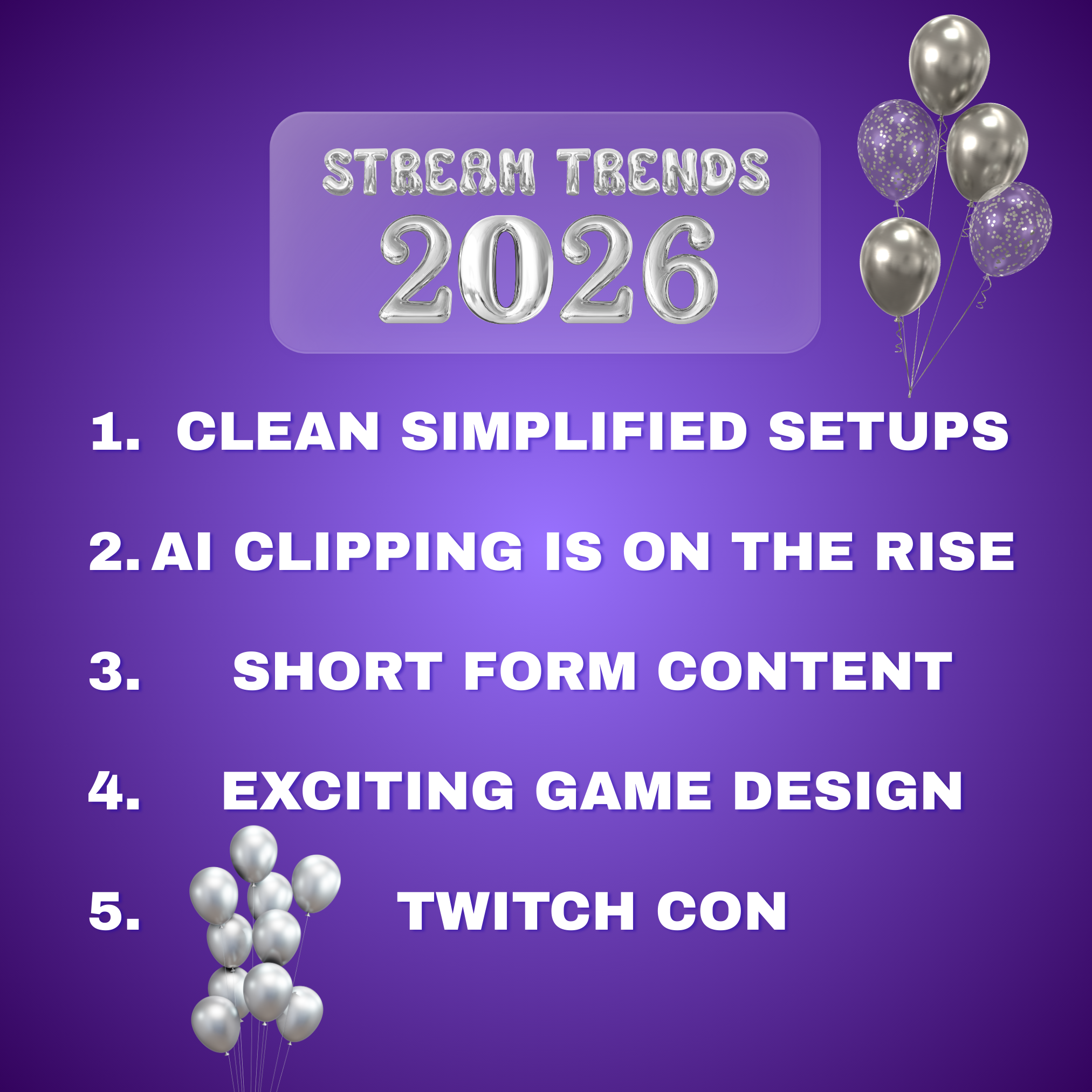


What Streamers Should Look Out For In 2026 Blog 3 . EA F1 26 Canceled 2026 Season Update Details 2026 Upcoming Games Release Dates . How To Watch FIFA World Cup 2026 Live Stream Online FIFA World Cup 2026 Live Stream Official Channels 1024x683 . Where To Livestream The 2026 Paralympic Winter Games Online Og. Setting Up My Multi Platform Gaming Live Stream VIDEOLANE COM Gaming Live Stream Setup Scaled


6 Best Gaming Consoles Of 2026 YouTube . FIFA World Cup 2026 TV Channels Rights Worldwide FIFA World Cup 2026 Live Stream 1024x538 . How To Watch FIFA World Cup 2026 Updated Guide Latest News World Cup 2026 TV Channels Rights 1024x538 . 5 Best Smartphones For Gaming In 2026 MobileMall Blog Gaming Phones. How To Get Live Access On TikTok In 2026 Full Guide How To Pin A Comment While Live Streaming With Onestream .webp


How To Watch FIFA World Cup 2026 TV Streaming Channels Adapting Your Super App For Regional Markets And Cultural Nuances Scaled . Why Video Game Dominate Streaming Platforms In 2026 Why Video Game Dominate Streaming Platforms In 2026 9V 1024x574 . How To Switch Between Monitors While Gaming 2026 How To Switch Between Monitors While Gaming 768x439 . How To Stream Games To Facebook Gaming 2026 Step By Step Setup Featured Image Hhhrn1g4 . How To Monetize Your Gaming Stream In 2026 All Methods Techtippr Monetise Stream Hero
Xbox Cloud Gaming 2026 The Ultimate Guide To Streaming Games Without A Airtable 1 768x439 . Game Streaming Tech 2025 Fulfill Every Gamer Needs Streaming Trends 1.webp. 20 Most Anticipated Video Games Of 2026 Page 20 1200x675 . How To Fix Screen Tearing While Gaming 2026 How To Fix Screen Tearing While Gaming 768x512 . Dual PC Stream In 2026 Is It Still Necessary How To Setup Hqdefault