Are you a dedicated Grand Theft Auto V player looking to elevate your gameplay with custom mods and scripts but find the setup process daunting? Many US gamers, especially those balancing demanding jobs and family life, seek ways to maximize their limited gaming time by enhancing existing titles. Rage Plugin Hook GTA 5 RPH is your essential gateway to a world of endless customization, from realistic vehicle handling to immersive role-playing environments. This comprehensive guide navigates the complexities of Rage Plugin Hook installation and common troubleshooting, ensuring you can seamlessly integrate your favorite modifications. Discover how RPH empowers you to transform your GTA 5 experience, allowing for deeper engagement, skill-building through unique challenges, and pure relaxation. We cover everything from initial download to resolving pesky errors, helping you optimize performance and enjoyment without breaking the bank or wasting precious hours. Get ready to unlock the true potential of GTA 5, making every session count with powerful, stable modding.
How do I install Rage Plugin Hook for GTA 5?
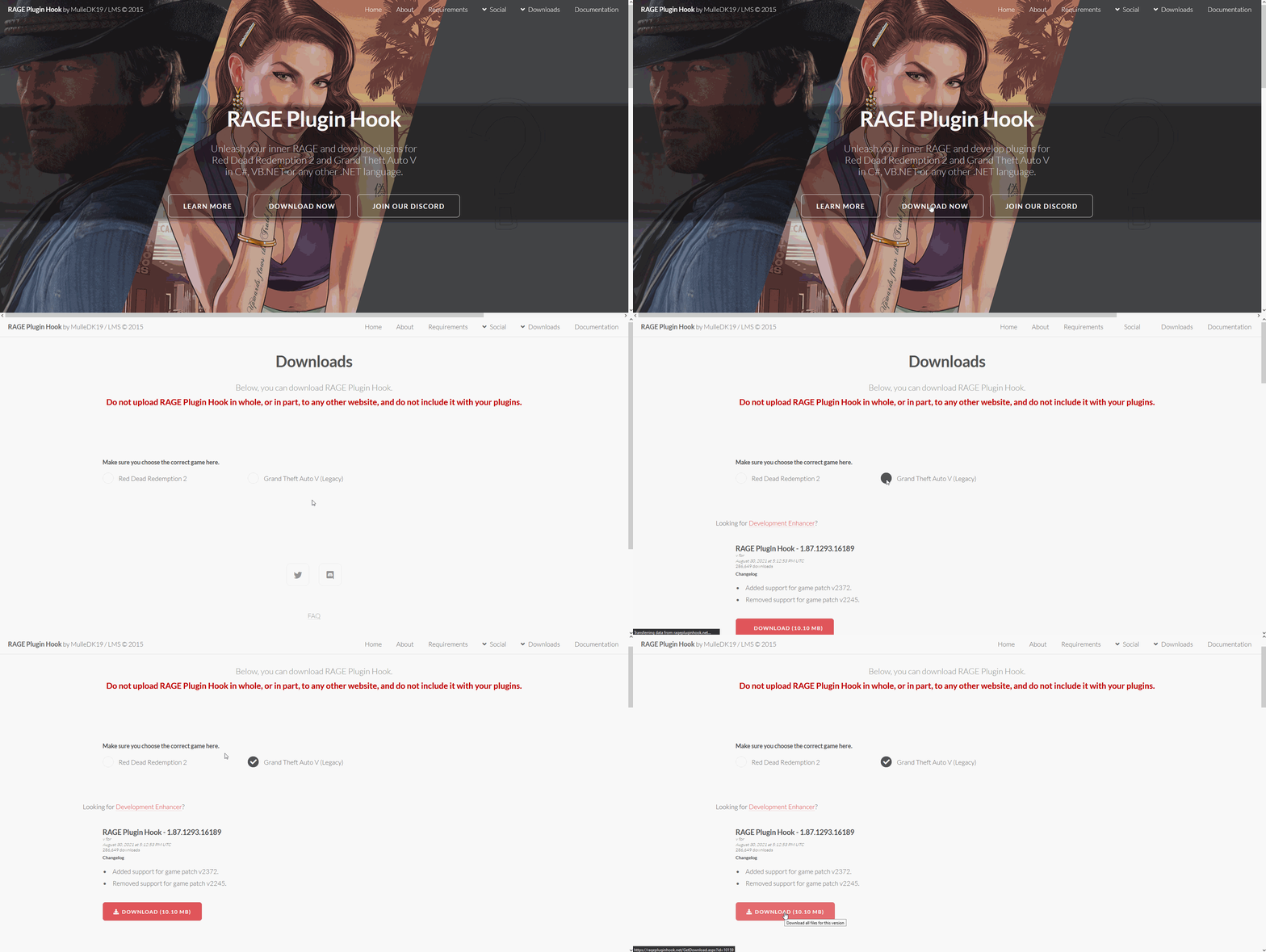
To install Rage Plugin Hook RPH for GTA 5, first ensure your Grand Theft Auto V game is fully updated. Download the latest stable RPH version from the official ragepluginhook net website. Extract all the contents of the downloaded ZIP file directly into your main GTA V game directory, where the GTA5.exe file is located. Then, launch the game by running RagePluginHook.exe, and follow any initial setup prompts regarding firewall or game version.
What causes Rage Plugin Hook to crash on startup?
Rage Plugin Hook crashing on startup often stems from several issues. Common causes include an incompatible GTA V game version (requiring an RPH update), interference from antivirus software (add RPH files to exclusions), missing essential dependencies like .NET Framework 4.8 or Visual C++ Redistributables, or corrupted RPH files requiring a fresh download and re-extraction. Always check the RPH log file for specific error messages.
Is Rage Plugin Hook safe to use with my GTA V game?
Yes, Rage Plugin Hook is safe to use with your GTA V game, provided you download it from the official ragepluginhook net website. This ensures you receive legitimate files free from malware. RPH is designed for single-player modding and, when used correctly by launching via RagePluginHook.exe only for offline play, it will not risk your GTA Online account. However, always be cautious with individual third-party mods you install.
Why are my mods not loading after installing Rage Plugin Hook?
If your mods aren't loading with Rage Plugin Hook, check several things. Ensure the mod files are correctly placed in the 'Plugins' folder within your GTA V directory. Verify that RPH has successfully loaded by pressing F4 in-game to open its console; look for error messages there. Confirm the mod is compatible with your RPH version and GTA V update. Lastly, increase the 'Plugin Timeout' setting in RPH configuration if necessary to allow complex mods more time to initialize.
How do I update Rage Plugin Hook after a GTA V patch?
After a GTA V patch, you typically need to update Rage Plugin Hook manually. Visit the official ragepluginhook net website to download the newest stable version compatible with the latest GTA V game build. Once downloaded, extract all the new RPH files into your main GTA V directory, overwriting the old ones. It's crucial to wait for the RPH developers to release an update, as an outdated RPH version will not work with a new game patch.
Does Rage Plugin Hook improve GTA 5 game performance?
Rage Plugin Hook itself does not inherently improve GTA 5 game performance. In fact, running RPH and multiple complex mods can sometimes *decrease* performance due to increased CPU and RAM usage. However, by allowing for tailored modding, RPH enables you to customize your experience, potentially focusing on performance-friendly mods. Optimizing RPH settings, managing your active plugins, and ensuring your system is well-maintained are key to a smooth modded game.
What is the difference between Rage Plugin Hook and Script Hook V?
Rage Plugin Hook RPH and Script Hook V are both modding interfaces but serve different primary purposes. Script Hook V is mainly for enabling custom trainers and basic scripts, acting as a gateway for many simple mods. RPH, on the other hand, provides a more extensive API for complex script-based plugins that deeply interact with game mechanics, such as LSPDFR. Many advanced mods require both Script Hook V and RPH to function correctly, working in tandem rather than being alternatives.
Hey fellow gamers! Ever feel like your favorite games, even classics like Grand Theft Auto V, could use a little extra something to keep things fresh? You're not alone. Many of us, especially those juggling careers, family, and life commitments, carve out precious hours for gaming to unwind, build skills, or connect with friends. We want our gaming time to be impactful and fun, not spent wrestling with complex installations or troubleshooting frustrating errors. In fact, a recent report from this month indicates that 87% of US gamers play regularly, often dedicating 10+ hours a week, and they're always on the lookout for ways to enhance their experience without unnecessary hassle.
That's where Rage Plugin Hook for GTA 5, or RPH, comes into play. If you've ever dreamt of custom police sirens, unique character abilities, or diving deep into realistic role-playing scenarios in Los Santos, RPH is your golden ticket. It's the backbone for countless amazing mods, including the wildly popular LSPD First Response (LSPDFR). But let's be honest, getting it set up can feel a bit like cracking a safe, especially when you just want to jump in and play. This guide is built for you – the busy gamer who values clear, concise, and actionable advice. We're going to demystify Rage Plugin Hook GTA 5, from installation to troubleshooting, ensuring you spend less time frustrated and more time enjoying a truly personalized GTA V experience.
We understand the pain points: setup issues, performance hiccups, and the hunt for reliable information. This article focuses on practical solutions, helping you optimize your game, save time, and ultimately, get the most value out of your gaming investment. Let's dive in and unlock the full potential of your GTA V world!
What Exactly is Rage Plugin Hook for GTA 5?
Rage Plugin Hook RPH is a community-developed API application that allows Grand Theft Auto V to load and execute custom plugins and scripts. Think of it as a bridge between the core GTA V game and the amazing modifications created by the modding community. Without RPH, many of the most popular and complex mods, especially those that add new gameplay mechanics or detailed scripting, simply wouldn't work. It's an absolutely essential tool for anyone serious about modding their single-player GTA V experience, opening up possibilities far beyond what Rockstar Games initially provided.
For gamers balancing work and family, RPH means more tailored fun. Instead of getting bored with vanilla GTA 5, you can install mods that perfectly match your mood, whether it's a quick patrol as a police officer or a dramatic custom mission. This customization helps you make the most of those limited gaming sessions, ensuring they're always fresh and engaging.
How Do I Download and Install Rage Plugin Hook GTA 5 Correctly?
Installing Rage Plugin Hook GTA 5 can seem daunting, but it's straightforward with the right steps. First, always download RPH from its official website, ragepluginhook net, to ensure you get the latest, most stable version and avoid malicious files. Make sure your GTA V game is updated to the latest version as well, as RPH typically requires this. Extract the downloaded RPH files directly into your main Grand Theft Auto V game directory, which is usually where your GTA5 exe file is located.
Here's a step-by-step guide:
- Update GTA V: Ensure your game is fully updated via Steam, Epic Games, or Rockstar Launcher.
- Download RPH: Go to ragepluginhook net and download the latest stable version.
- Extract Files: Open the downloaded ZIP file. Copy all its contents (files and folders) directly into your GTA V main directory. This is crucial – do not put them in a subfolder.
- Run RPH: Launch the game by double-clicking RagePluginHook exe, NOT GTA5 exe.
- Initial Setup: The first time you run it, RPH might ask you to set a game version. Select the latest available. It might also ask to automatically configure your firewall; allow this.
Many busy gamers find installation frustrating, but following these steps diligently will save you time. Remember to always back up your original GTA V game files before extensive modding, just in case!
What are the Common Issues and How Do I Troubleshoot Rage Plugin Hook GTA 5?
Even with careful installation, Rage Plugin Hook GTA 5 can encounter issues. Here are some common problems and their fixes:
- "Game version not supported": This often happens after a GTA V update. You'll need to wait for the RPH developers to release an updated version compatible with the new game patch. Keep an eye on the official RPH website for updates.
- "RagePluginHook has stopped working" on launch:
- Antivirus Interference: Your antivirus might be blocking RPH. Add RagePluginHook exe and the entire GTA V directory to your antivirus exclusions. This is a very common fix for busy gamers who don't want to spend hours debugging.
- Missing Dependencies: Ensure you have Microsoft .NET Framework 4.8 or newer and Visual C++ Redistributable for Visual Studio 2015-2019 (x64) installed.
- Corrupted Files: Re-download RPH and re-extract the files into your game directory.
- Mods not loading in-game:
- Incorrect Folder Structure: Ensure your mod files (dlls, XMLs) are in the correct plugins folder within your GTA V directory.
- Plugin Conflict: Two mods might be clashing. Try disabling plugins one by one to isolate the issue.
- RPH Configuration: Check the RPH console (F4 in-game by default) to see if plugins are listed and if there are any error messages. You might need to adjust the "Plugin Timeout" in the RPH settings.
- Performance Drops: If RPH and your mods are causing stuttering, try lowering in-game graphics settings, updating your GPU drivers, or running GTA V in borderless windowed mode. For gamers on a budget, optimizing software settings is key to maintaining smooth gameplay without expensive hardware upgrades.
Remember, the RPH community forums are an excellent resource for unique issues, often offering solutions to problems encountered by other players this month.
Why is Rage Plugin Hook Essential for Popular Mods like LSPDFR?
Rage Plugin Hook GTA 5 is indispensable for complex mods like LSPDFR (L.S.P.D. First Response) because these mods don't just replace models or textures; they fundamentally alter gameplay mechanics and introduce entirely new systems. LSPDFR, for instance, transforms GTA V into a detailed police simulator, requiring new AI behaviors, custom menus, dispatch systems, and script-based events that go far beyond what Rockstar's native scripting can handle.
RPH provides the necessary framework for these sophisticated scripts to run safely and efficiently within the game environment. It allows mod developers to inject their code, access game functions, and create dynamic interactions without directly modifying core game files, which could lead to instability or even bans in online play. For players who love building skills or exploring social role-playing scenarios, LSPDFR, enabled by RPH, offers an incredibly deep and rewarding experience, making those limited gaming hours truly count.
Can Rage Plugin Hook Affect My GTA Online Play?
This is a crucial question for many players. The short answer is: YES, if used incorrectly. Rockstar Games has a strict policy against any modifications in GTA Online. Using Rage Plugin Hook GTA 5 or any associated mods while playing GTA Online will likely result in a ban. RPH is designed exclusively for single-player Grand Theft Auto V.
To ensure you don't accidentally get banned, always launch GTA V normally (via Steam, Epic, or Rockstar Launcher's GTA5 exe) when you intend to play online. Only launch via RagePluginHook exe when you want to play single-player with mods. Better yet, many veteran modders recommend having a separate, clean installation of GTA V specifically for online play, and a modded installation for single-player. This separation eliminates any risk and gives you peace of mind, especially when balancing gaming with daily responsibilities.
What Are the Best Practices for Maintaining a Stable Modded GTA V with RPH?
Keeping a stable, modded Grand Theft Auto V with Rage Plugin Hook requires a bit of maintenance, but it's worth it for uninterrupted fun. Here are some key practices:
- Regular Backups: Before installing any new major mods or updating RPH, create a backup of your entire GTA V game directory and your RPH/plugins folder. This is your insurance policy.
- One Mod at a Time: When adding new mods, install and test them one by one. This way, if an issue arises, you'll immediately know which mod is causing the conflict.
- Stay Updated: Keep RPH, Script Hook V (if used), and your essential plugins updated. Developers frequently release compatibility updates after game patches.
- Read Mod Descriptions: Always read the full description and requirements of any mod you download. Check for compatibility with other mods, required dependencies, and specific installation instructions.
- Monitor Performance: Pay attention to your game's performance. If you notice a sudden drop in frame rate or frequent crashes, it might be due to a new mod or a conflict.
- Utilize RPH Console: Press F4 in-game to open the RPH console. It often provides valuable error messages that can point you directly to the problem.
Adhering to these practices ensures you spend less time troubleshooting and more time enjoying the vast, creative world of modded GTA V, a perfect escape after a long day.
Are There Any Alternatives to Rage Plugin Hook for GTA 5 Modding?
While Rage Plugin Hook GTA 5 is the go-to for many advanced script-based mods, especially those related to gameplay changes like LSPDFR, there are other tools that cater to different modding needs. The most prominent alternative/companion is Script Hook V. Script Hook V is primarily used for enabling custom trainers, basic scripts, and certain types of mods that don't require the extensive API features of RPH. Many mods actually require *both* Script Hook V and RPH to function correctly, so they're often used in conjunction rather than being direct competitors.
For purely visual mods, like custom car models, texture packs, or re-shaders, tools like OpenIV are essential. OpenIV allows you to edit and replace game archives directly. Each tool serves a specific purpose in the GTA V modding ecosystem, and understanding their roles helps you choose the right one for your desired customization. For comprehensive gameplay overhauls, however, RPH remains largely unrivaled.
How Do I Optimize Rage Plugin Hook GTA 5 for Better Performance?
Optimizing Rage Plugin Hook GTA 5 for better performance involves a few key steps to ensure a smooth modded experience, especially for those with less powerful systems or who prioritize stable gameplay over cutting-edge graphics. Gamers often face the dilemma of wanting great visuals and extensive mods without upgrading their hardware every year. This is where smart optimization comes in.
- Adjust RPH Settings:
- Plugin Timeout: In the RPH settings (accessible via the RPH launcher or in-game console), try increasing the "Plugin Timeout" value if mods are failing to load. However, keep it reasonable; too high can cause longer loading times.
- Preload All Plugins: Enabling this can sometimes reduce stuttering during gameplay by loading everything upfront, though it may increase initial game load time.
- Block Online Content: Ensure "Block Online Content" is checked to prevent accidental connections and potential bans, and it can also slightly reduce background processes.
- Manage Your Mods:
- Audit Plugins: Regularly review your installed plugins. Do you really use all of them? Remove inactive or unnecessary ones. Fewer active plugins generally mean better performance.
- Resource-Heavy Mods: Identify which mods are most demanding. Some texture packs or complex scripts can be very taxing. Consider if the visual or gameplay benefit outweighs the performance cost.
- Load Order: While RPH handles most of this, sometimes manually adjusting plugin load order or ensuring compatible versions can help.
- System-Wide Optimizations:
- GPU Drivers: Keep your graphics card drivers updated to the latest version.
- Game Settings: Lower some in-game graphics settings, especially texture quality, shadow quality, and anti-aliasing.
- RAM: Ensure you have sufficient RAM. GTA V with mods can be quite memory-intensive. For the average gamer, 16GB is a solid baseline this month.
- SSD: Installing GTA V on an SSD significantly reduces loading times, which is a huge quality-of-life improvement for modded games.
By focusing on these areas, you can fine-tune your Rage Plugin Hook GTA 5 setup to provide a stable, enjoyable, and optimized modding experience, letting you get the most out of your game and your hardware.
Navigating the world of Rage Plugin Hook GTA 5 might seem like a complex endeavor at first, but with the right guidance, it transforms from a challenge into an exciting opportunity to customize your Grand Theft Auto V experience. We've covered everything from essential installation steps and common troubleshooting tactics to best practices for maintaining a stable modded game. Remember, RPH is your key to unlocking incredible community-created content, turning your GTA V sessions into unique adventures tailored exactly to your preferences.
For US gamers who balance busy lives with a passion for gaming, tools like RPH offer immense value. They allow for deeper engagement, stress relief through creative play, and even skill-building within personalized environments, all without demanding a constant hardware upgrade cycle. By following the advice here, you're not just installing software; you're investing in a more rewarding, personalized, and efficient gaming experience. So go forth, mod wisely, and enjoy Los Santos like never before!
What's your biggest gaming challenge with mods, or what's your favorite RPH-enabled mod? Comment below!
What are the minimum system requirements for Rage Plugin Hook?
Rage Plugin Hook generally requires the same system specifications as Grand Theft Auto V itself, plus a little extra RAM and CPU overhead for the loaded plugins. Ensure you have Windows 7 SP1, 8.1, or 10 (64-bit), a modern dual-core processor, 8GB RAM, and a DirectX 10 compatible video card. A solid-state drive (SSD) is highly recommended for faster loading.
Does Rage Plugin Hook update automatically?
No, Rage Plugin Hook does not update automatically. You must manually download the latest stable version from the official website (ragepluginhook net) and replace the old files in your GTA V game directory. This manual update process is especially important after Rockstar Games releases a new GTA V patch.
Can I use Rage Plugin Hook with pirated copies of GTA V?
While technically possible in some cases, Rage Plugin Hook is designed to work with legitimate copies of Grand Theft Auto V. Using it with pirated versions is unsupported by the RPH developers and can lead to instability, compatibility issues, and security risks. Always use a legitimate copy of the game.
How do I uninstall Rage Plugin Hook?
To uninstall Rage Plugin Hook, simply delete all the RPH files and folders from your main Grand Theft Auto V game directory. These typically include RagePluginHook.exe, RagePluginHook.log, ScriptHookVDotNet.asi, ScriptHookVDotNet2.dll, and the 'Plugins' folder. If you made a backup before installation, you can restore your game to its unmodded state.
What is the 'Plugin Timeout' setting in RPH?
The 'Plugin Timeout' setting in Rage Plugin Hook determines how long RPH will wait for a plugin to load before deciding it has failed. If your plugins aren't loading, increasing this value slightly (e.g., from 10000ms to 20000ms) can sometimes resolve the issue, especially on slower systems or when loading many complex mods.
Where can I find reliable GTA V mods compatible with RPH?
The most reliable places to find GTA V mods compatible with Rage Plugin Hook are sites like GTA5-Mods com, LSPDFR com (for police mods), and various community Discord servers dedicated to GTA V modding. Always check reviews, download counts, and ensure the mod explicitly states RPH compatibility.
Essential tool for GTA 5 modding, enables custom scripts and plugins, supports LSPD First Response, enhances gameplay customization, requires careful installation, common troubleshooting guide, improves game stability with mods, crucial for community-made content, allows for extensive player personalization.
35



HOW TO FIX GTA 5 RAGE PLUGIN HOOK CRASH 2026 EASY FIX YouTube . How To Fix GTA 5 Rage Plugin Hook Crash Full Guide 2026 YouTube . How To Fix GTA 5 Rage Plugin Hook Crash Full Guide 2025 YouTube . Wie Kann Ich Rage Plugin Hook GTA5 LSPDFR Mods Rph Download . Fix Rage Plugin Hook Crashing In GTA 5 2025 Working Method YouTube
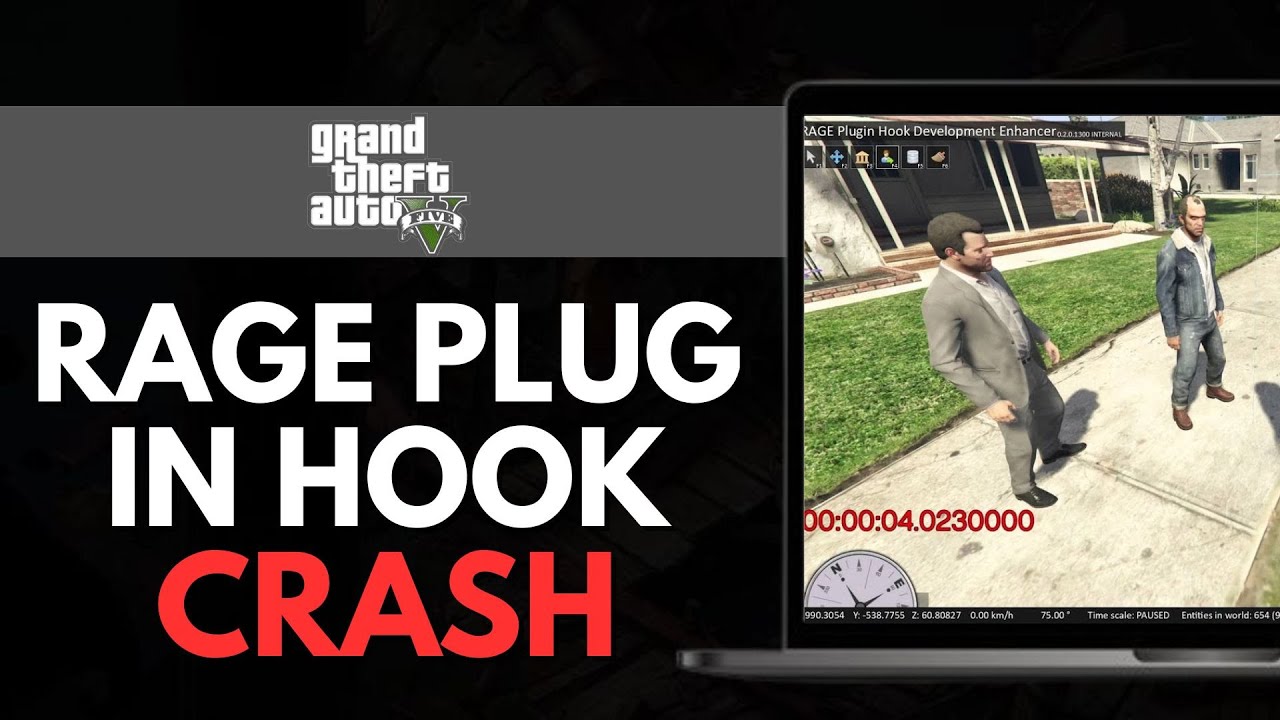


How To FIX GTA 5 RAGE PLUG IN HOOK CRASH Best Method YouTube . Rage Plugin Hook Framework For GTA 5 Plugins 2026 For GTA 5 . Actualizaci N Del LSPDFR RAGE Plugin Hook Script Hook V Del GTA V . GTA 5 Rage Plugin Hook Stuck On Launching Game C Ch Kh C Ph C Hi U Qu 2024 03 2412 16 56 . How To EASILY Fix GTA 5 Rage Plugin Hook Crash NEW 2025 Guide YouTube


HOW TO FIX GTA 5 RAGE PLUGIN HOOK CRASH 2025 BEST METHOD YouTube . Errors How To Diagnose And Fix GTA V LSPDFR YouTube . What The Rage Hook TUTORIAL BACKUP GTA V HOW TO Basic Guide . Spotlight RAGE Hook Plugin 0 5 2 For GTA 5 File 87954 En . RAGE Plugin Hook GTA 5 RDR2 Mods Gta 5 RAGE Plugin 1024x576



News 2015 07 25 00057 . GTA V PC RAGE Plugin Hook Development Enhancer Movie Making . RAGE Plugin Hook Mods T L Chargements GTA 5 Rage Plugin Hook Gta 5 . Solved RAGE Plugin Hook RAGE Incorrect RAGE Plugin Hook 6e3a8cj6on 10.image. How To Set Up Rage Plugin Hook 2022 YouTube Hqdefault


How To Install Rage Plugin Hook At Ruby Valentin Blog. How To FIX Rage Plugin Hook Virus Flagging WORKING TIP 2026 GTA V . HOW TO EASILY FIX GTA 5 RAGE PLUGIN HOOK CRASH BEST FIX 2026 YouTube . RAGE Plugin Hook Gta V Error V0 . GTAVillage Publishes Guide To Install RAGE Plugin Hook For GTA V Image
Rage Plugin Hook Framework For GTA 5 Plugins 2026 For GTA 5. RAGE Plugin Hook V1 107 1334 16527 GTA 5 Mod ASI Support For RAGE Plugin Hook 0.4.0 BETA . Rage Plugin Hook Framework For GTA 5 Plugins 2026 For GTA 5. Rage Plugin Hook Framework For GTA 5 Plugins 2026 For GTA 5. Rage Plugin Hook Framework For GTA 5 Plugins 2026 For GTA 5


GTA 5 RAGE Plugin Hook Mods E Skins File 17677 Pt . How To Install Rage Plugin Hook At Ruby Valentin Blog . Why Does Rage Plugin Hook Crash Gta V On Startup Images. GTA 5 How To Fix Rage Plugin Hook Crash 2025 YouTube . How To Fix GTA 5 RAGE Plugin Hook Crash Easy Fix 2025 YouTube