Are you a dedicated gamer balancing life, work, and family, seeking to make every gaming minute count? This comprehensive guide on custom built gaming PCs is for you. In 2026, where 87 percent of US gamers play regularly averaging over 10 hours a week across various platforms including PC and mobile, optimizing your experience is crucial. We cut through the hype to provide practical, actionable advice on building, maintaining, and upgrading your personalized gaming rig. Discover how a custom PC can enhance skill-building, social play, and pure relaxation, all while ensuring value for your hard-earned money. From overcoming setup woes to budget-friendly hardware upgrades and recommendations for limited playtime, this resource addresses your most pressing pain points. Learn to unlock peak performance, enjoy seamless social gaming experiences, and stay current with the latest trends without breaking the bank. Dive in to empower your gaming journey and build the ultimate machine tailored to your unique needs.
What are the immediate benefits of a custom built gaming PC?
A custom built gaming PC offers unparalleled performance tailored to your specific needs, meaning you avoid paying for features you don't want while maximizing what you do. This translates to smoother gameplay, faster load times, and superior visuals that enhance every session, especially important for adult gamers with limited time. Plus, you gain a deeper understanding of your machine, simplifying future upgrades and troubleshooting.
How much does a truly competitive custom gaming PC cost in 2026?
In 2026, a truly competitive custom built gaming PC capable of running the latest AAA titles at high settings, 1440p resolution, and high refresh rates, or handling 4K gaming, typically ranges from 1500 USD to 2500 USD. This budget allows for a powerful current-generation GPU, a robust multi-core CPU, fast DDR5 RAM, and a spacious NVMe SSD, ensuring your system is future-proofed for several years.
What are common mistakes to avoid when assembling a custom built gaming PC?
New builders often make a few common mistakes, such as forgetting to install the CPU cooler, not seating RAM modules properly (they need to click firmly), incorrect cable management leading to poor airflow, or forgetting to connect all necessary power cables (especially for the GPU and CPU). Always consult your motherboard manual and watch a detailed video guide to minimize these errors and ensure a smooth build process.
Is it worth building a custom PC if I only play older games or indie titles?
Absolutely. While older or indie games might not demand the highest-end components, building a custom built gaming PC still offers immense value. You can create a budget-friendly system perfectly optimized for your specific library, ensuring stable performance and avoiding unnecessary spending on overpowered parts. It also provides flexibility for future game choices and potentially higher resolutions/frame rates on classic titles.
How do I balance performance and budget effectively for my custom build?
To balance performance and budget for your custom built gaming PC, prioritize the GPU as it dictates gaming frame rates most significantly. Allocate the largest portion of your budget there, followed by a balanced CPU. Save on less critical items like high-end cases, RGB lighting, or excessive storage. Look for value-oriented motherboards and ensure you have at least 16GB of fast RAM and a primary NVMe SSD for optimal system responsiveness.
What tools do I need to build a custom built gaming PC?
You'll primarily need a Phillips head screwdriver (magnetic tip is a bonus), zip ties or Velcro straps for cable management, and potentially some thermal paste (though most CPU coolers come with it pre-applied or in a tube). An anti-static wrist strap is recommended but not strictly necessary if you ground yourself regularly by touching a metal part of your case before handling components.
When is the best time to buy components for a custom built gaming PC?
The best time to buy components for a custom built gaming PC is often during major sales events like Black Friday, Cyber Monday, or Amazon Prime Day. Additionally, new product launches can cause prices of previous-generation hardware to drop significantly. Keeping an eye on tech news for upcoming releases from Intel, AMD, and NVIDIA can help you time your purchases for optimal value.
Are you a US gamer who loves unwinding with a solid gaming session after a long day, perhaps balancing work, family, and other commitments? If you're like the average US gamer, around 36 years old, you likely dedicate over 10 hours a week to gaming, often across multiple devices from mobile to PC. You value relaxation, fun, and connecting with friends online, but also seek skill-building and optimizing every moment of your limited gaming time. The big question often becomes, how do you get the best gaming experience without constant frustration over performance, endless setup issues, or the fear of falling behind the tech curve? That's where custom built gaming PCs come in.
Building your own custom gaming PC might sound daunting, but it's one of the most empowering ways to take control of your gaming destiny. It's about crafting a machine that precisely meets your needs, whether you're diving into the latest esports titles, exploring vast open worlds, or enjoying cozy co-op sessions with friends. This guide will walk you through everything you need to know about custom built gaming PCs, addressing common pain points like budget constraints, confusing hardware choices, and the eternal struggle of balancing gaming with real life. We'll show you how to build a rig that performs flawlessly, offers future upgradeability, and ultimately, helps you make the most of your cherished gaming hours, ensuring every pixel and frame rate is exactly what you want.
Why Should I Consider Custom Built Gaming PCs Instead of Prebuilts?
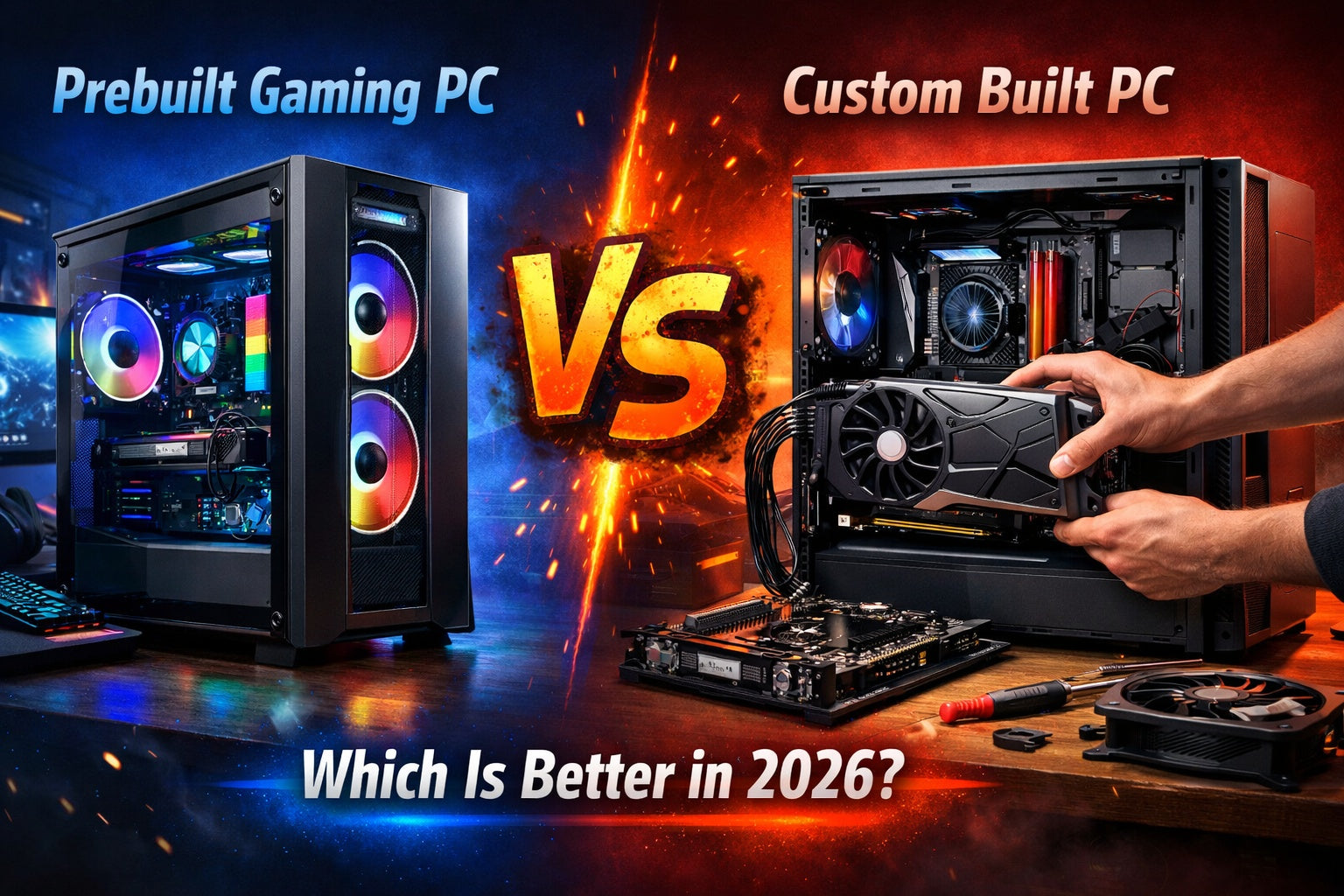
Choosing between a custom built gaming PC and a prebuilt machine is a common dilemma for many gamers. While prebuilts offer convenience, custom built gaming PCs provide unparalleled value and control. When you build your own, you get to select every single component, ensuring there are no subpar parts hidden away. This means you can allocate your budget precisely where it matters most for your specific games and usage, whether that's a powerful GPU for 4K visuals or a fast CPU for competitive esports titles. For many, this level of personalization not only optimizes performance but also offers significant cost savings over a comparable prebuilt system, avoiding the 'builder's premium'.
Beyond cost and performance, custom built gaming PCs offer superior upgradeability. You understand exactly what's inside your machine, making future component swaps for performance boosts or repairs far simpler and often more affordable. This extends the lifespan of your investment, a crucial factor for gamers balancing budgets. Furthermore, the act of building your PC is a rewarding experience, fostering a deeper understanding of your system and troubleshooting skills. It's about empowering you to maintain and evolve your rig without relying on external support.
What are the Essential Components for a Custom Built Gaming PC?
A custom built gaming PC relies on several key components working in harmony. Understanding each part is the first step to making informed decisions. The **Central Processing Unit (CPU)** is the brain, handling general computations and game logic. The **Graphics Processing Unit (GPU)**, often called the graphics card, is the heart of any gaming PC, responsible for rendering visuals. These two are arguably the most critical for gaming performance.
Next up is **RAM (Random Access Memory)**, which stores temporary data for quick access, allowing your system to multitask and load game assets efficiently. **Storage** comes in two main forms: faster but pricier **SSDs (Solid State Drives)** for your operating system and primary games, and more economical **HDDs (Hard Disk Drives)** for bulk storage. The **Motherboard** is the nervous system, connecting all components. A **Power Supply Unit (PSU)** provides electricity, and finally, a **PC Case** houses everything while ensuring proper airflow for cooling. Choosing these parts involves balancing performance needs with your budget.
How Do I Choose the Right CPU and GPU for My Gaming Needs?
The CPU and GPU are the titans of your custom built gaming PC. Your choice heavily depends on the types of games you play, your desired resolution (1080p, 1440p, 4K), and target frame rates. For competitive esports titles like Valorant or CS2, a strong CPU is often just as important as the GPU for maintaining high, stable frame rates. For graphically intensive single-player games like Cyberpunk 2077 or Alan Wake 2, the GPU takes center stage.
Start by researching current-generation offerings from AMD (Ryzen CPUs, Radeon GPUs) and Intel (Core CPUs, Arc GPUs) or NVIDIA (GeForce GPUs). Look at benchmarks for the specific games you want to play at your target resolution. Don't overspend on an ultra-high-end CPU if your GPU is mid-range, as the GPU will likely be the bottleneck. Aim for a balanced pairing. If budget is a concern, consider starting with a slightly less powerful GPU that can be upgraded later, as GPUs often see more significant performance leaps between generations. Reading reviews from reputable tech sites this month will give you the most current performance data and value recommendations.
Is Building a Custom Gaming PC Difficult for Beginners?
The idea of assembling a custom built gaming PC can seem daunting, but it's far more accessible than you might think. Modern components are designed with user-friendliness in mind, often featuring clear labeling and foolproof connectors. Think of it like assembling high-tech LEGOs. There are countless online resources, including step-by-step video tutorials and detailed written guides, that can walk you through every stage of the process, from installing the CPU to cable management.
Patience is key. Take your time, consult your motherboard manual, and double-check connections. Most common mistakes are easily fixable, such as forgetting to plug in a power cable or seating RAM incorrectly. While it requires focus, the satisfaction of powering on a machine you built yourself is immense. It also equips you with valuable knowledge for future troubleshooting and upgrades. Don't be afraid to ask for help in online communities; the PC building community is incredibly supportive.
How Can I Maximize Performance on a Budget with a Custom Build?
Maximizing performance on a budget with custom built gaming PCs is a skill honed by many savvy gamers. The trick is smart component prioritization and knowing where to save without sacrificing critical performance. Focus your budget primarily on the GPU and then a balanced CPU. These two components will have the most significant impact on your gaming experience.
Here are some budget-saving tips:
- **Go Mid-Range:** Instead of the absolute bleeding edge, opt for solid mid-range GPUs and CPUs from the current or even last generation. They often offer incredible price-to-performance ratios.
- **NVMe SSD for OS/Main Games:** Don't skimp on a fast NVMe SSD for your operating system and your most-played games. It dramatically reduces load times and improves overall system responsiveness. You can add a larger, slower HDD for bulk storage later.
- **RAM Sweet Spot:** 16GB of DDR4 or DDR5 RAM is the sweet spot for most gaming in 2026. Going beyond 32GB rarely provides proportional gaming benefits for the cost.
- **Value Motherboard:** Choose a motherboard with the features you need, but avoid overspending on high-end boards with extra bells and whistles you won't use.
- **Used Parts (with caution):** Consider reputable sellers for used GPUs or CPUs to save money, but always verify authenticity and test upon arrival.
- **Sale Hunting:** Keep an eye out for sales and bundle deals from retailers; they can offer significant savings.
- **Sensible Case/PSU:** Don't buy the cheapest PSU, as a failing one can damage other components, but you don't need the most expensive case. Prioritize good airflow.
By making strategic choices, you can achieve excellent gaming performance without breaking the bank, a crucial consideration for gamers balancing their passions with life's other expenses.
How Do I Keep My Custom Built Gaming PC Running Smoothly?
Maintaining your custom built gaming PC involves a few routine practices that ensure longevity and consistent performance. Firstly, **keep it clean**. Dust is the enemy of electronics, impeding airflow and causing components to overheat. Regularly (every 3-6 months) use compressed air to clear dust from fans, heatsinks, and the case interior. Pay special attention to the GPU and CPU coolers.
Secondly, **update your drivers**. Graphics card drivers from NVIDIA, AMD, or Intel are frequently updated with performance optimizations and bug fixes for new games. Ensure your GPU drivers and other essential drivers (chipset, audio) are always up-to-date. Third, **monitor temperatures**. Software like HWMonitor or MSI Afterburner can display your CPU and GPU temperatures. High temperatures can lead to throttling and reduced performance. If temperatures are consistently high, re-evaluate your cooling solution or clean your system.
Finally, **manage your software**. Regularly uninstall programs you don't use, keep your operating system updated, and perform occasional disk cleanups. Avoid unnecessary background processes that consume valuable system resources. A well-maintained custom built gaming PC will deliver a superior and more reliable gaming experience.
What are the Benefits of a Custom PC for Social and Skill-Building Gaming?
For many adult gamers, gaming isn't just about escape; it's a vital social outlet and a way to build skills. Custom built gaming PCs excel in these areas. With a rig tailored to your needs, you'll experience smoother frame rates and more stable connections, which are critical for competitive online play or seamless co-op with friends. Imagine never missing a crucial shot in an FPS or having your voice chat cut out during a strategy session on Discord because your system can't keep up. In 2026, social gaming across platforms, including PC and mobile, is more prevalent than ever, with many titles offering cross-play. A powerful custom PC ensures you're always ready to join the fun.
Furthermore, a reliable custom built gaming PC allows you to confidently explore new gaming genres or even venture into content creation like streaming or video editing, which can be fantastic avenues for skill development and connecting with a wider community. From mastering complex mechanics in strategy games to collaborating on creative projects in sandbox titles, your optimized custom PC provides the stable, high-performance platform needed to fully engage, learn, and socialize without technical roadblocks. It truly transforms gaming from a pastime into an enriching lifestyle.
How Do I Plan for Future Upgrades and Stay Current with Trends?
One of the biggest advantages of custom built gaming PCs is their upgradeability, crucial for staying current in the fast-evolving tech landscape of 2026. When planning your initial build, consider your **motherboard's chipset and CPU socket**. Opting for a newer chipset often allows for more CPU upgrade options within the same generation. For instance, if you choose an AMD AM5 platform, you're likely to have several generations of CPU compatibility without needing a new motherboard.
Also, **invest wisely in your Power Supply Unit (PSU)**. A higher wattage PSU than your initial needs allows headroom for a more powerful GPU or CPU down the line without needing to replace the PSU. When it comes to specific components, GPUs typically offer the most significant performance gains per upgrade cycle. Many gamers will upgrade their GPU every 2-4 years, while CPUs can often last 4-6 years or more. RAM upgrades are usually simple, adding more sticks or replacing existing ones. By making these thoughtful initial choices, you can strategically refresh your custom built gaming PC over time, ensuring it remains capable of handling the latest titles and trends like advanced VR experiences or high-fidelity ray tracing without the expense of an entirely new system.
Building a custom gaming PC is more than just assembling parts; it's about investing in an experience tailored to your life. It offers the performance, value, and flexibility that prebuilts often can't match, especially for the busy adult gamer looking to maximize enjoyment and minimize frustration. From tackling setup issues to smart budget allocation and future-proofing, you now have the insights to craft your perfect rig. The satisfaction of a smooth, personalized gaming session, whether it's for relaxation, skill-building, or connecting with friends, is truly unparalleled. What's your biggest gaming challenge with your current setup? Comment below!
FAQ Section
What is the average cost to build a decent custom gaming PC in 2026?
For a solid custom built gaming PC capable of playing most modern games at 1080p high settings or 1440p medium, expect to spend between 800 USD and 1500 USD in 2026. High-end 4K rigs can easily go beyond 2000 USD.
How long does it typically take to build a custom gaming PC?
For a first-time builder, assembling a custom built gaming PC can take anywhere from 3 to 6 hours, assuming you have all the parts and a guide ready. Experienced builders can often complete it in 1-2 hours.
Do custom built gaming PCs come with a warranty?
No, the complete custom built gaming PC doesn't have a single warranty. However, each individual component (CPU, GPU, motherboard, etc.) comes with its own manufacturer's warranty, which you register separately.
Are custom built gaming PCs better for streaming or content creation?
Yes, custom built gaming PCs are often superior for streaming and content creation because you can specifically choose components like a powerful multi-core CPU and ample RAM that excel in these demanding tasks, alongside your gaming GPU.
Can I use parts from my old PC in a new custom build?
Potentially. Components like the PC case, power supply, and older storage drives (SSDs/HDDs) can often be reused in a new custom built gaming PC if they are compatible and still functional. CPUs, GPUs, and motherboards usually require generational upgrades together.
What software do I need after building my custom PC?
After building, you'll need to install Windows (or your preferred OS), motherboard drivers (chipset, audio, LAN), graphics card drivers, and then your games and other applications. Antivirus software is also recommended.
Unlock superior performance with custom built gaming pcs, Tailor your rig to specific game titles and budget, Enjoy easier upgrades and longer system lifespan, Optimize value for money compared to prebuilts, Resolve common issues like setup and performance lags, Enhance social gaming and skill development, Stay current with 2026 gaming trends efficiently.
35
Best Gaming PC Builds For 2026 Best Gaming PC Builds For 2026.webp. The Best Gaming PC Builds For 2026 Top Picks And Reviews Best Pc Build . Dan S Custom Built Gaming Beasts 3CFCA891 125F 45F0 B47D . Prebuilt Gaming PCs Ready To Ship Gaming Rigs For Every Budget AWD AWD 6 . How To Build A Future Proof Gaming PC In 2026 Complete Custom Build Guide 1773043345


Builds The Best Custom Gaming PCs In Canada An Honest 20 March 2026 4 . Prebuilt Gaming PC Vs Custom Built PC Which Is Better In 2026 Prebuilt Vs Custom Gaming Pc 2026 5a49c66d 398d 40a5 A7f0 . Dan S Custom Built Gaming Beasts RTX 5090 CUSTOM BUILT GAMING PC Core 97012634 FE3E 403F 8752 . Best Gaming PC UK 2026 Top Custom Builds We Build The Perfect PC 57 C8998bb0 8c4f 4104 90a8 . Custom Built Gaming PC Dan S Custom Built Gaming Beasts IMG 8625



Asus Custom PC 900x506 . CUSTOM BUILT GAMING PC RTX 4090 I9 14900K 64GB DDR5 4TB SSD ALL WHIT IMG 8762 . Building An Enthusiast Grade PC Build For 2026 GeekaWhat FI DM87 HAVN BF RTX 5090 Build . Browse Alpha PC Custom Builds Toronto Canada Cyber Vortex. The Ultimate Gaming PC Build 2026 Guide By Xidax 1 Unnamed


Custom PCs For Crypto Gaming AI Workloads In 2026 Digibuggy . The Best 1000 Gaming PC Build For 2026 YouTube . The 5 Best Gaming PCs Of 2026 Power Performance And Gaming Top 5 Gaming Pcs 2026 Fh2q5 800x450 . Best PC Builds For Gaming 2026 Ultimate Guide To Building Your Dream Best PC Builds For Gaming 2026 1024x683 . Top 10 Best Desktop Computers 2026 For Home Office And Work Lenovo Legion Tower 7i 2026 High Performance Desktop Computer With RGB Lighting Featured In



Gaming PCs Built For Performance TheCpuHub Rotherham Hero04 Scaled . Building An Affordable Gaming PC For 2026 GeekaWhat FI DP056 Antec Flux M 9060XT 1024x576 . Powerful Gaming PCs Custom Build Your Gaming PC Gaming Pc Headline Pcs . Best Mini ITX Cases 2026 Our Tested Picks For Compact PC Builds Tom . META PCs Showcases Custom Built PC Systems At CES 2026 TechPowerUp



7 Best Gaming PCs Of 2026 Power Performance And Value Revealed Top Gaming Pcs 2026 1lmv2 . Best RTX 3080 Gaming PC In 2026 Our Top Pre Built Picks PC Guide Best RTX 5080 Prebuilt Gaming Pc . Best Budget Gaming PC Builds For 2026 500 800 Best Budget Gaming PC Builds For 2026.webp. Best Gaming Computers In 2026 9meters Hpaq Kbcyhk 1536x1059 . The Gaming PC You Need To Build For 2026


Dan S Custom Built Gaming Beasts IMG 8627 . The ULTIMATE AMD Gaming PC Build 2026 YouTube . RTX 5080 CUSTOM BUILT GAMING PC RYZEN 7 9800X3D 64GB DDR5 RAM 8TB SSD 02 14at00 48 56Dan Products Shopify Ec4d59b7 5863 49e3 8527 . Dan S Custom Built Gaming Beasts IMG 0037 . Buy RTX 4090 CUSTOM BUILT GAMING PC I9 13900k 32GB DDR5 RAM 4TB SSD Rtx 4090 Custom Built Gaming Pc I9