Unlock the full potential of Grand Theft Auto V on Steam by exploring the vast world of mods. For many US gamers, balancing a demanding job, family commitments, and a passion for gaming means every minute of playtime counts. GTA 5 mods for Steam offer an incredible way to extend the game's lifespan, introduce fresh challenges, and create personalized experiences without needing to invest in new titles. This comprehensive guide addresses common pain points like installation woes, performance concerns, and the fear of bans, ensuring you can confidently enhance your game. We will navigate the essential tools, best practices, and troubleshooting tips to help you transform your Los Santos adventures. Dive into new vehicles, graphical overhauls, and unique gameplay mechanics, making your limited gaming sessions more engaging and rewarding. Discover how to safely integrate GTA 5 mods into your Steam library and enjoy a refreshed take on a classic without the hype, focusing on real value and optimized fun.
How do I install GTA 5 mods on Steam?
Installing GTA 5 mods on Steam involves a few key steps: first, download essential tools like Script Hook V and OpenIV. Script Hook V enables script-based mods, while OpenIV helps manage game files. Use OpenIV to create a 'mods' folder, keeping original game files safe. Then, follow specific mod instructions, typically copying script files to your game directory or adding/replacing assets via OpenIV. Always stick to single-player mode to avoid bans.
Are GTA 5 mods safe for Steam PC?
GTA 5 mods are safe for Steam PC if used correctly in single-player mode. Using any mods, trainers, or altered game files in GTA Online will lead to a ban. Always download mods from reputable sources like GTA5-Mods.com, back up your game files, and keep essential modding tools updated to ensure stability and avoid security risks.
Can I use GTA 5 mods in GTA Online through Steam?
No, you absolutely cannot use GTA 5 mods in GTA Online through Steam. Rockstar Games strictly prohibits any modifications in its multiplayer environment. Using mods in GTA Online will result in a ban from the game. Always ensure your game is completely unmodded when playing online to protect your account.
What tools do I need for GTA V modding on Steam?
For GTA V modding on Steam, the two primary tools you'll need are Script Hook V and OpenIV. Script Hook V is crucial for running script-based mods and trainers. OpenIV is an archive editor that allows you to modify game files and create a dedicated 'mods' folder for safer mod management. Both should be kept updated to match your game version.
Where can I find reliable GTA 5 mods for Steam?
The most reliable place to find GTA 5 mods for Steam is GTA5-Mods.com. This website hosts a vast collection of user-created mods, along with reviews and compatibility information. Always check a mod's comments and update history to ensure it's reputable and compatible with the latest version of GTA V before downloading.
What is Script Hook V and is it essential for GTA 5 mods on Steam
Script Hook V is a critical library that allows custom native functions to be used in GTA V PC. Most complex mods, especially those that interact deeply with the game's mechanics or add new scripts, require Script Hook V to function. It is absolutely essential for almost all script-based single-player mods and should always be kept up-to-date with your game version to avoid crashes. You cannot use it in GTA Online without risking a ban.
How can I backup my GTA 5 Steam game before modding
Before installing any mods, it is highly recommended to create a backup of your clean GTA V installation. You can do this by navigating to your Steam Library, right-clicking GTA V, going to "Manage" and then "Browse local files." Copy the entire Grand Theft Auto V folder to a different location on your drive. This way, if something goes wrong, you can easily restore your game without reinstalling everything, saving you precious gaming time.
Which types of GTA 5 mods are generally safe for single-player Steam use
For single-player use on Steam, most visual mods (e.g., graphics enhancements, custom cars, character skins), script mods that add new gameplay elements (e.g., specific trainers, new missions), and sound mods are generally safe, provided they come from reputable modding sites like GTA5-Mods.com. Always ensure you are only using these mods in story mode, as using any custom files while connected to GTA Online will almost certainly result in a ban.
What is OpenIV and why is it crucial for GTA 5 modding on Steam
OpenIV is a multi-purpose editor and archive manager for Grand Theft Auto V and other Rockstar games. It allows you to view, edit, and replace game files, which is crucial for installing many types of mods, especially those involving custom models, textures, or replacing existing game assets. OpenIV also provides a "mods folder" system, which creates a separate directory for modded files, keeping your original game files untouched and making mod management much easier and safer.
How do I update GTA 5 on Steam without losing my mods
Updating GTA 5 on Steam can sometimes break your mods, especially Script Hook V, which needs to be updated by its developer. To manage updates, first, ensure you have a "mods folder" setup with OpenIV. When an update is imminent, consider backing up your 'mods' folder. After the game updates, check the modding community forums for updates to essential tools like Script Hook V and OpenIV. Reinstalling these updated tools is often the first step to getting your mods working again after a game patch.
Can I revert my GTA 5 Steam game to vanilla after installing mods
Yes, reverting your GTA 5 Steam game to its vanilla state after modding is straightforward if you followed best practices. If you used an OpenIV 'mods' folder, simply remove or disable that folder. If you directly replaced files and have a backup (as recommended), just copy your clean backup folder back into the game directory. For minor file changes, Steam's "Verify integrity of game files" option (right-click GTA V in Steam Library > Properties > Installed Files) will detect and re-download any modified or missing original files.
Are there any performance impacts when using GTA 5 mods on Steam
Yes, using GTA 5 mods on Steam can certainly impact performance, depending on the type and number of mods. Graphics overhaul mods, high-resolution textures, and complex script mods that add many new elements can be quite demanding on your CPU and GPU. It is important to monitor your frame rates and adjust mod usage or in-game graphics settings accordingly, especially if you are running on older hardware. Prioritize performance mods if you experience significant slowdowns.
Hey fellow gamers! Ever find yourself scrolling through your Steam library, looking at Grand Theft Auto V, and thinking, "Man, I wish there was something new?" If you're like many of us juggling work, family, and life, finding time for fresh gaming experiences can be tough, and buying a new AAA title every month isn't always in the budget. That's where GTA 5 mods for Steam come in. They offer an incredible, often free, way to breathe new life into Los Santos, transforming the game into an entirely different beast.
We know the drill. You want to unwind, have some fun, maybe even build a cool virtual car collection, but you're worried about breaking your game, getting banned, or wasting precious time on a complicated setup. Recent data shows that 87% of US gamers regularly play, with many averaging 10+ hours a week. For those balancing real-world responsibilities, those hours are precious. This guide is your trusted friend, here to help you unlock the full potential of GTA V on Steam, safely and efficiently, ensuring your valuable gaming time is spent on fun, not frustration. We'll cut through the hype and focus on practical solutions to enhance your GTA 5 Steam experience.
What exactly are GTA 5 Mods for Steam and why should I care?
GTA 5 mods for Steam are fan-made modifications that alter or add content to the single-player Grand Theft Auto V game installed via the Steam platform. These can range from minor tweaks to massive overhauls, introducing new vehicles, characters, weapons, missions, graphical enhancements, or entirely new gameplay mechanics. For the average gamer, especially those who appreciate value for money and want to extend the life of their favorite titles, mods offer endless replayability and customization. They transform a classic game into a fresh experience, letting you explore new possibilities and narratives without buying new games, perfect for fitting into a busy schedule.
Think of it as giving your game a personalized upgrade. Instead of just replaying the story, you can cruise around in custom-designed cars, experiment with unique abilities, or even drastically change the game's visual style. This month, popular trends include hyper-realistic graphics mods and complex script modifications that add new activities to the open world. It’s all about making your gaming experience truly your own, allowing for stress relief and pure fun after a long day.
Is it safe to use GTA 5 Mods with my Steam version? Will I get banned?
Using GTA 5 mods with your Steam version is generally safe as long as you stick to single-player mode. Rockstar Games has a zero-tolerance policy for modding in GTA Online. Using any external files or trainers while connected to GTA Online will almost certainly result in a ban, which can be permanent. To stay safe, always launch GTA V in Story Mode when mods are active, and remove all mod files before attempting to play GTA Online. Utilize a dedicated 'mods folder' system (which we'll cover) to make switching between modded single-player and clean online much easier and minimize ban risks for your valuable account.
Many busy gamers find themselves with limited time, and the last thing anyone wants is to lose access to their game progress or friends in GTA Online. To protect your investment, always double-check that no modding tools are running in the background when you switch to multiplayer. It's a simple step that saves a lot of headaches and keeps you connected with your gaming buddies for social play.
How do I prepare my GTA 5 Steam installation for modding?
Preparing your GTA 5 Steam installation for modding involves a few crucial steps to ensure stability and easy recovery. First, make sure your game is fully updated to the latest version. Next, and this is vital, create a backup of your clean game files. Navigate to your Steam Library, right-click Grand Theft Auto V, select "Manage," then "Browse local files." Copy the entire "Grand Theft Auto V" folder to another location on your hard drive. This backup is your lifeline; if anything goes wrong, you can easily restore your game without a full re-download, saving you hours of precious gaming time.
Additionally, disable automatic updates for GTA V in Steam if possible, or at least be aware of them. Game updates can often break mods, especially Script Hook V, requiring new versions of your modding tools. Being prepared means you can enjoy your modded game without fear of unexpected downtime. For many, a smooth setup means more relaxation and less troubleshooting.
What are the essential tools for GTA 5 Steam modding and how do I get them?
The two most essential tools for GTA 5 mods for Steam are Script Hook V and OpenIV. Script Hook V is a library that allows custom scripts and trainers to function in the game, acting as a bridge between mods and GTA V's executable. You can download it from AB Software Development. OpenIV, on the other hand, is a powerful archive editor that lets you view, edit, and replace game files. It's crucial for installing most texture, model, and vehicle mods, and also allows you to set up a dedicated "mods folder" to keep your original game files safe. Download OpenIV from its official website. Always ensure you download the latest versions compatible with your current GTA V game version to avoid crashes.
These tools are the foundation of your modding journey. Without them, many of the most exciting modifications simply won't work. Keeping them updated is a small effort for a huge payoff in terms of game stability and expanded content. Think of them as the right wrench and screwdriver for your virtual car customization project.
Step-by-Step: How do I install basic single-player mods for GTA 5 on Steam?
Installing basic single-player GTA 5 mods for Steam typically involves three main steps, assuming you have Script Hook V and OpenIV ready:
- Install Script Hook V: Extract the downloaded Script Hook V archive. Copy the 'ScriptHookV.dll' and 'dinput8.dll' files into your main Grand Theft Auto V game directory (where 'GTA5.exe' is located). Do NOT copy 'NativeTrainer.asi' if you don't want a simple trainer.
- Set up OpenIV's 'mods' folder: Open OpenIV. Navigate to 'Tools' > 'ASI Manager' and install 'ASI Loader' and 'OpenIV.asi'. OpenIV will prompt you to create a 'mods' folder. Always use this feature; it duplicates necessary game archives into a separate folder, so your original files remain untouched.
- Install the actual mod: Most mods come with instructions. For 'add-on' vehicles or graphics, you'll use OpenIV to navigate to the specified path (often in your 'mods' folder structure, e.g., 'update\update.rpf\common\data\') and 'Edit Mode' to add or replace files. For script mods (files ending in .asi, .dll, or .cs), copy them directly into your main GTA V directory or a 'scripts' subfolder you create there.
Always read the specific mod's installation instructions, as some may have unique requirements. Start with small, well-documented mods to get the hang of the process.
Can I use mod menus or custom vehicles in GTA Online via Steam?
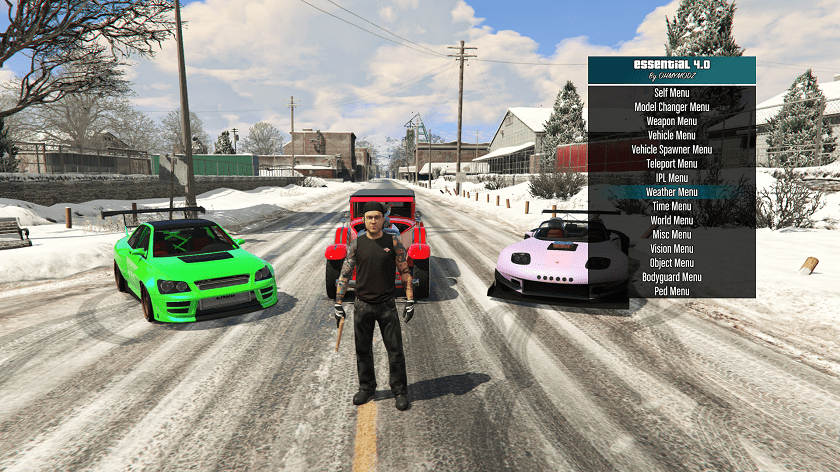
No, you absolutely cannot use mod menus or custom vehicles in GTA Online via Steam. As mentioned, Rockstar Games has a strict policy against any unauthorized modifications in its online multiplayer environment. Using any form of mod menu, custom vehicle, altered weapon, or graphical mod in GTA Online will be detected by their anti-cheat system, leading to a ban. This often starts with a temporary suspension but can escalate to a permanent ban, losing all your progress and potentially access to the game. It is crucial to keep your GTA V installation completely vanilla and unmodded whenever you intend to play GTA Online to protect your account and ensure fair play for everyone.
For gamers who value their online social interactions and progress, this rule is non-negotiable. Many enjoy both the creative freedom of single-player modding and the competitive or cooperative fun of GTA Online. The key is strict separation to enjoy both worlds responsibly. Remember, building an online reputation and in-game assets takes time, so don't risk it.
How do I troubleshoot common issues when installing GTA 5 mods on Steam?
Troubleshooting common issues with GTA 5 mods on Steam often boils down to a few key areas. First, ensure Script Hook V and OpenIV are updated to match your current GTA V game version. An outdated tool is a primary cause of crashes. Second, if your game crashes on launch or specific actions, try removing recently installed mods one by one to identify the culprit. Third, if you encounter graphics glitches or missing textures, verify your OpenIV 'mods' folder setup is correct and that you're in 'Edit Mode' when making changes. Finally, if all else fails, use Steam's "Verify integrity of game files" feature (right-click GTA V in Steam Library > Properties > Installed Files). This will replace any corrupted or modified core game files, essentially reverting your game to a clean state, which you can then restore from your backup if needed to save download time. Community forums on GTA5-Mods.com are also a goldmine for solutions.
Balancing gaming with a busy life means minimizing frustration. Knowing these troubleshooting steps can save you hours of head-scratching. Think of it as knowing the quick fixes for your car when it makes a funny noise – essential knowledge for any enthusiast.
What are some popular and safe GTA 5 mods recommended for Steam users this month?
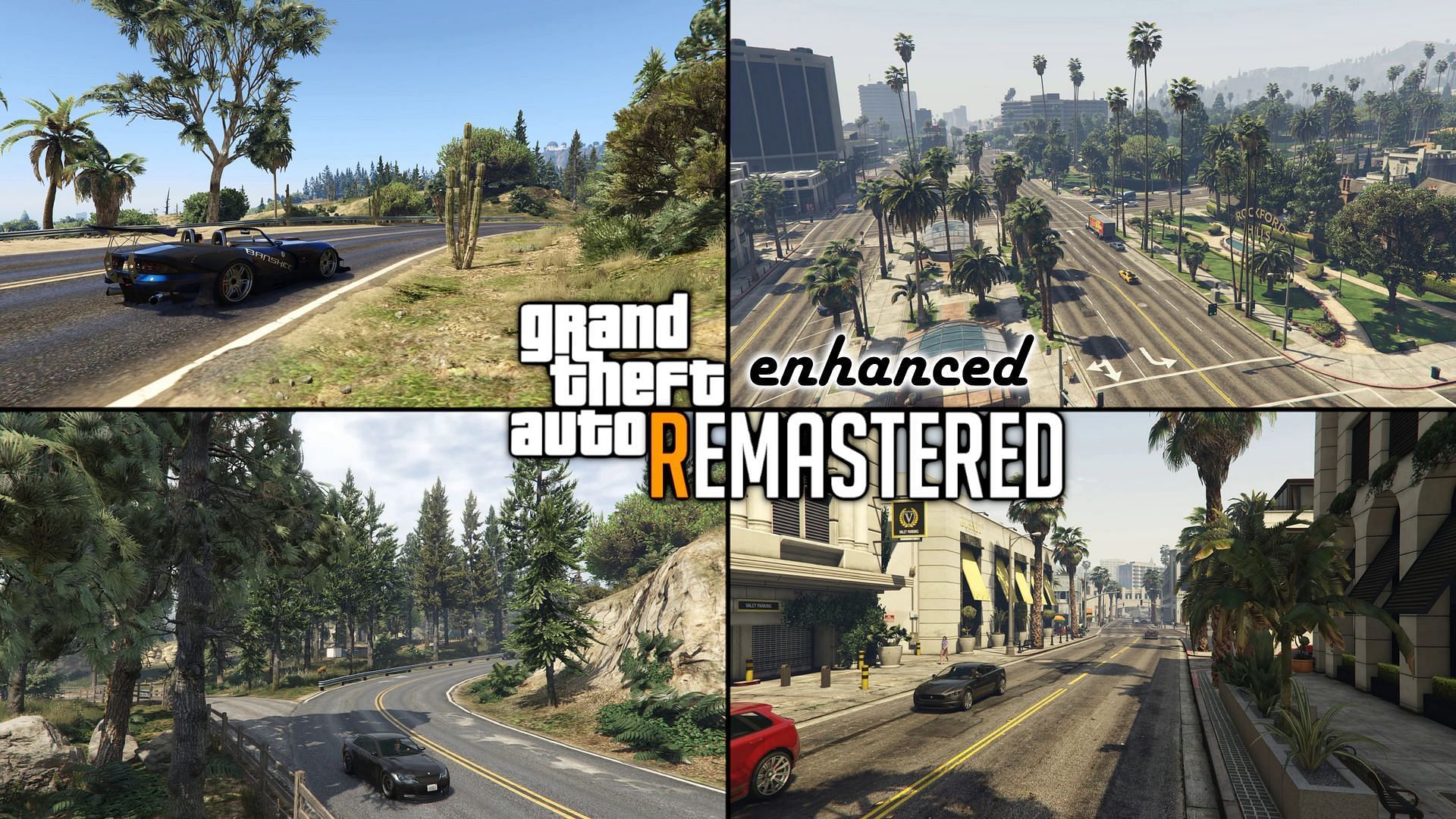
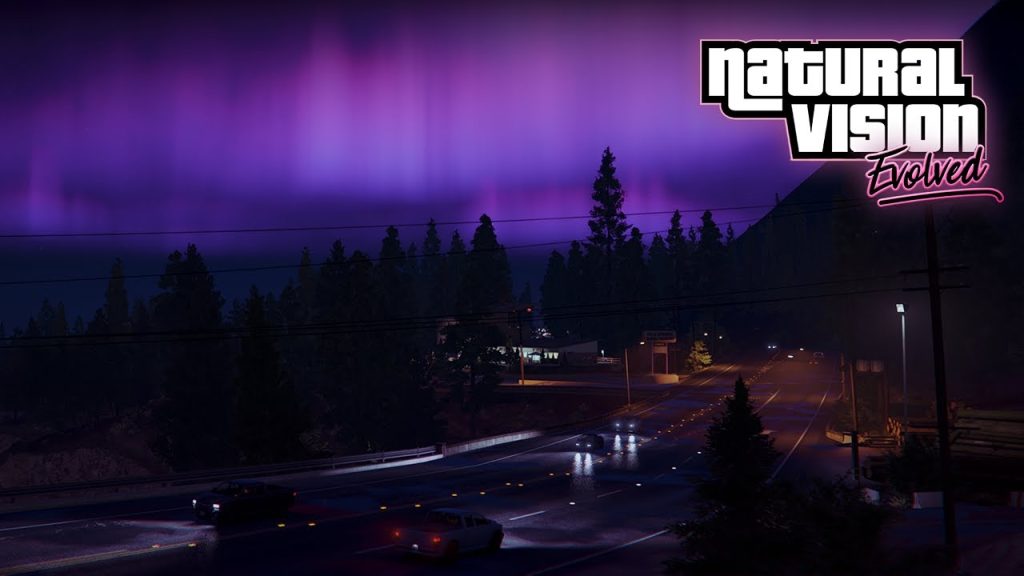
This month, several popular and safe GTA 5 mods continue to be highly recommended for Steam users seeking to enhance their single-player experience. For visual fidelity, the NaturalVision Remastered or QuantV graphical overhauls remain top-tier choices, drastically improving the game's aesthetics and immersing you further into Los Santos. If you're into custom vehicles, the 'Add-on Car Pack' mods on GTA5-Mods.com are consistently updated with high-quality models, letting you drive your dream cars. For expanded gameplay, the 'Simple Trainer' or 'Enhanced Native Trainer' offers a wide range of in-game options, from spawning anything to manipulating the environment, perfect for creative experimentation. Always download from reputable sites like GTA5-Mods.com, check user reviews, and ensure compatibility with the latest game version.
These mods are a great starting point for anyone looking to personalize their game without compromising stability. They offer new avenues for relaxation and fun, whether you're cruising in a hypercar or experimenting with new abilities, making those gaming sessions truly unique and enjoyable.
How can I manage my GTA 5 mods for Steam to avoid conflicts?
Managing your GTA 5 mods for Steam effectively is key to avoiding conflicts and maintaining game stability. The most important practice is utilizing OpenIV's "mods folder" system. This creates a separate directory for your modded files, keeping your original game files untouched and isolated. When installing new mods, always try to install them into this "mods" folder structure. Be mindful of mods that modify the same game files; installing two graphics overhauls, for example, will likely cause conflicts. Read mod descriptions carefully for compatibility notes. For script mods, create a dedicated 'scripts' folder in your main GTA V directory to keep them organized. If a new mod causes issues, you can easily remove it without affecting your core game or other mods, thanks to good organization.
Think of it like organizing your toolbox – every tool has its place. A well-managed mod setup ensures you spend more time playing and less time fixing. This systematic approach is especially beneficial for busy gamers who want quick, hassle-free entertainment.
What are the best practices for keeping my GTA 5 Steam game updated while modded?
Keeping your GTA 5 Steam game updated while modded requires a proactive approach. The best practice is to always backup your entire modded game folder before any significant game update. When Rockstar pushes an update, it often renders Script Hook V and other essential modding tools incompatible, causing crashes. After a game update, avoid launching GTA V until the developers of Script Hook V and OpenIV release updated versions. Check GTA5-Mods.com and their respective official sites regularly for these updates. Once updated tools are available, replace your old ones, then check individual mod compatibility. Using the OpenIV 'mods' folder is paramount, as Steam's "Verify integrity of game files" can repair your main game without touching your carefully curated modded files, letting you update cleanly and then re-integrate mods systematically.
Staying current without constant headaches means knowing the rhythm of game updates and tool releases. This strategy minimizes downtime, ensuring you can quickly get back to your personalized Los Santos experience after an update. It’s about being smart with your time and resources.
Conclusion
There you have it! Diving into the world of GTA 5 mods for Steam can truly revitalize your gaming experience, offering endless hours of fresh content and customization, especially valuable for those balancing life's demands. Remember, the key to a successful modding journey lies in safety, preparation, and smart management. Always prioritize single-player modding, back up your files, use essential tools like Script Hook V and OpenIV, and stay informed about updates. By following these guidelines, you'll transform Los Santos into your ultimate playground, all without risking your Steam account or wasting precious gaming time.
What's your biggest gaming challenge when it comes to customizing your favorite games? Comment below and let's share some solutions!
FAQ Section
Is modding GTA 5 on Steam legal?
Yes, modding GTA 5 for single-player use on Steam is generally legal. Rockstar Games allows single-player mods, but strictly forbids them in GTA Online. As long as you respect the terms of service and play fair in multiplayer, you're good to go.
Can I use a controller with modded GTA 5 on Steam?
Absolutely. Most GTA 5 mods for Steam are designed to work seamlessly with game controllers, just like the vanilla game. You shouldn't experience any issues using your Xbox, PlayStation, or other compatible controllers while enjoying your modded single-player experience.
How do I uninstall GTA 5 mods from my Steam version?
To uninstall GTA 5 mods from your Steam version, if you used OpenIV's 'mods' folder, simply delete the specific mod files from that folder or remove the 'mods' folder entirely. For script mods, delete the .asi, .dll, or .cs files from your game directory. If you directly replaced original files without a backup, use Steam's "Verify integrity of game files" feature to restore the originals.
Do GTA 5 mods affect Steam achievements?
Generally, GTA 5 mods for Steam will disable achievements while active. If you care about earning achievements, it's best to play an unmodded version of the game. Some mods might offer workarounds, but it's not guaranteed, and playing without mods is the safest bet for achievement hunting.
What are 'add-on' vs. 'replace' mods in GTA 5 for Steam?
'Add-on' mods in GTA 5 for Steam introduce entirely new content, like vehicles, without replacing existing game files, typically installed via a 'dlclist.xml' entry. 'Replace' mods, conversely, overwrite existing game assets, such as changing the texture of a default car or weapon. Add-ons are generally preferred for easier management and less risk of unintended consequences.
How often should I back up my GTA 5 Steam game for modding?
You should back up your GTA 5 Steam game whenever a new game update is released by Rockstar, or before installing any major new mods or modding tools. A clean backup before you start modding is essential, and keeping a copy of your working modded setup before adding anything new is also a smart move for busy gamers.
Safe GTA 5 mod installation for Steam, preventing bans in GTA Online, essential modding tools like Script Hook V and OpenIV, step by step guide to install single player mods, managing mod conflicts, optimizing performance with mods, finding reputable mod sources, troubleshooting common mod issues, backing up game files, ensuring game updates compatibility.
35



How To Install Mod In Gta 5 Use Menyoo Mod In GTA 5 2026 Full PC . Best GTA 5 Mods To Download In 2026 GameSpot 4498708 . 50 Best GTA 5 Mods June 2026 Transform Gaming 50 Best GTA 5 Mods 2025 768x512 . GTA 5 GTA V Ultimate Trainer 2026 Mod GTAinside Com 1768926016 C . I Tried 10 Most Realistic GTA 5 Mods Of 2026 Ultra Realistic
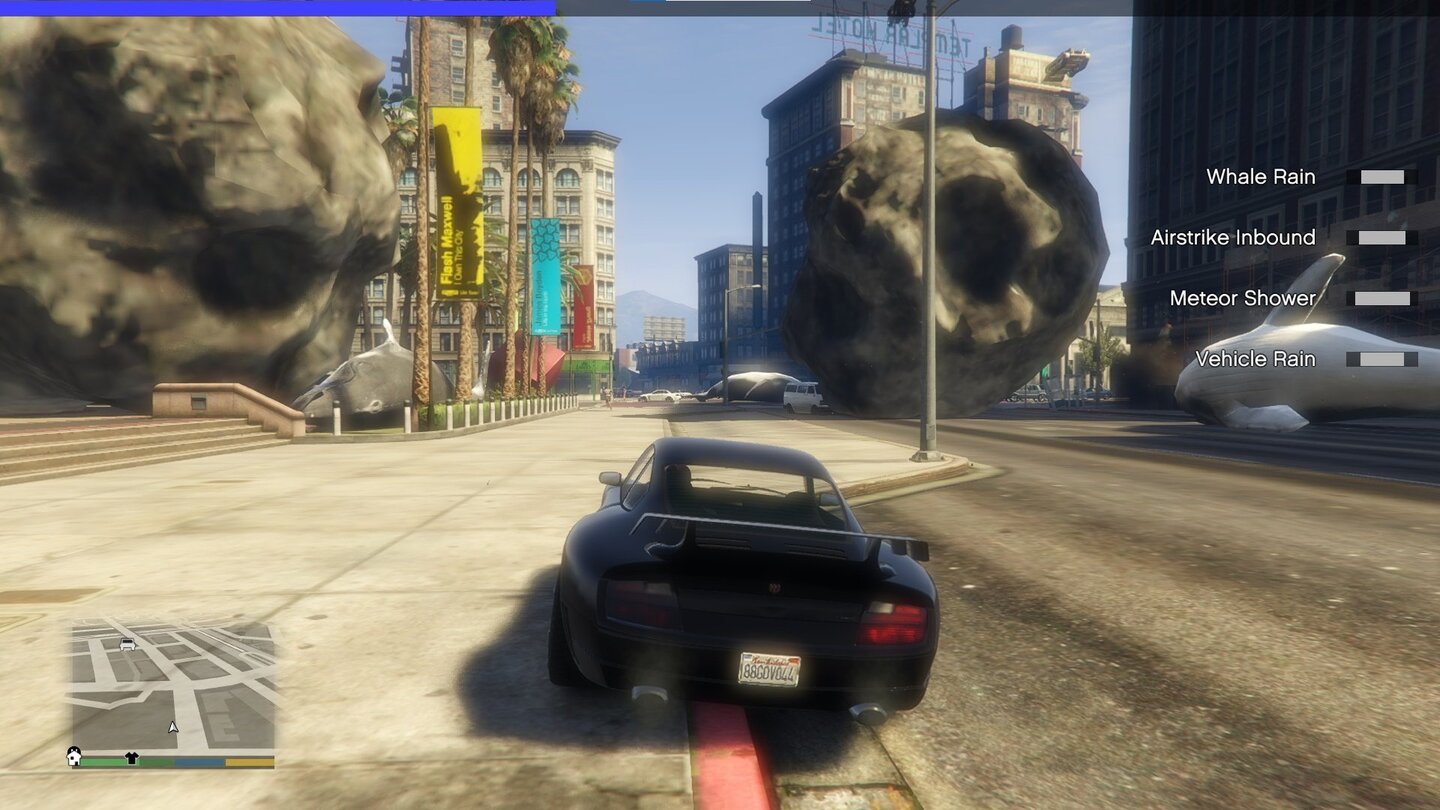

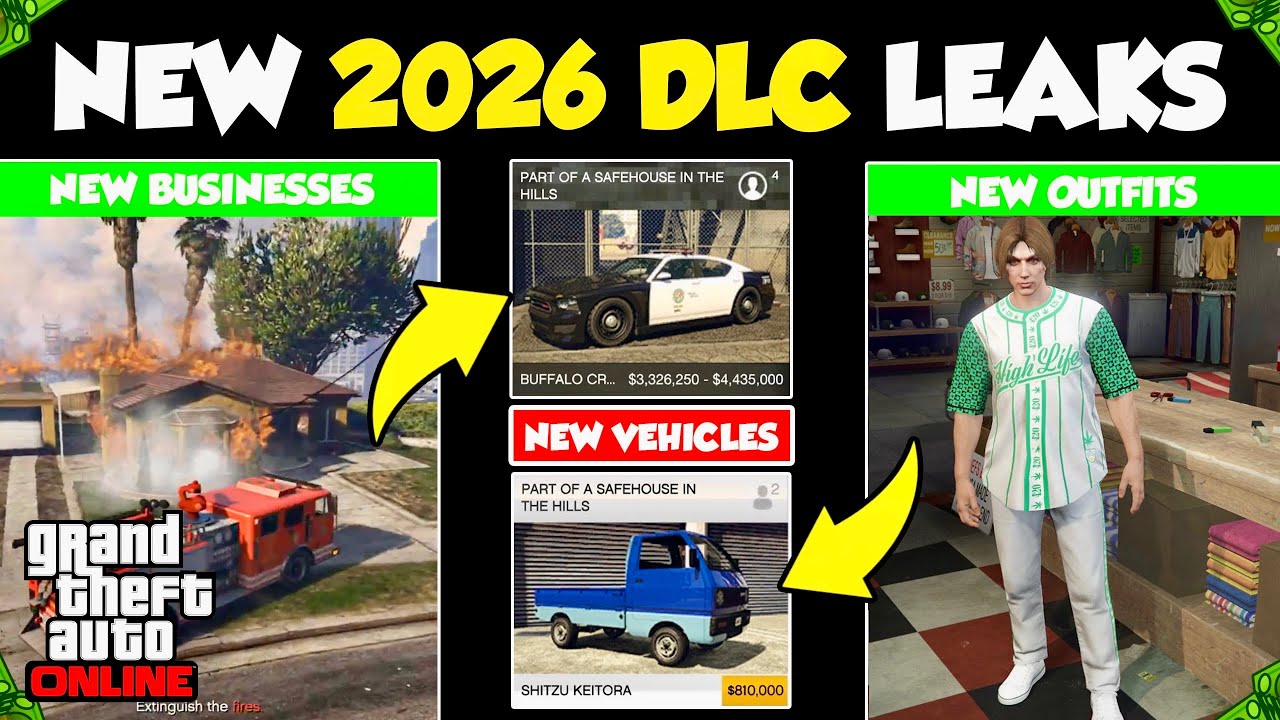

GTA 5 Die Besten Mods 2026 Grafik Gameplay Chaos Im Berblick Gta 5 Mods Chaos Mod 6412040 . Where To Get The Best GTA 5 Mods In 2026 Simple Guide Screenshot 2025 12 02 At 13.17.51 2048x1000 . The 30 Best GTA 5 Mods To Download 2026 Gaming Gorilla Best GTA 5 Mods Remastered 1024x576 . ALL Upcoming 2026 GTA 5 Online DLC Leaks New Businesses New Cars . How To Install Mods In GTA 5 2026 Step By Step Beginner Guide PC


NEW WAY To Install DLC CAR PACKS For 2026 GTA 5 LSPDFR YouTube . 2026 Aston Martin Valhalla Addon Fivem Auto Spoiler V2 0 GTA 5 Gta 5 2026 Aston Martin Valhalla Addon Fivem Auto Spoiler V2 0 1 870x431 . 50 Best GTA 5 Mods June 2026 Transform Gaming 50 Best GTA 5 Mods Today 2025 768x512 . GTA 5 Heavily Modded On Steam Deck Custom Vehicles Custom Scripts . GTA 5 Mods How To Get Download Install And Play In 2026 173 1.webp


GTA 5 Modding In 2026 What S Fun What S Risky And What Keeps The Word Image 26474 1 . Best GTA 5 Mods 2026 From Graphics Updates To New Cars Gta Cars Mod 2 580x326 . 7Launcher GTA V Free Download 2026 Ultimate Mod Manager 7Launcher GTA V Download 2025 Ultimate Mod Manager Game Launcher . New GTA 5 Enhanced Edition Mod Overhauls Its Driving System And Brings GTA 5 Enhanced Enhanced 3 . GTA 5 Modding In 2026 What S Fun What S Risky And What Keeps The Zolika1351s Zone Gta V Chaos Mod Effects 768x432

GTA 5 Remastered And Enhanced Mod All You Need To Know 9d593 1920 . GTA 5 Free Redux Mod 2026 Graphics Pack YouTube . Best Single Player GTA V Mods For 2026 Enhancing Visuals And Immersion Image. Best 30 GTA 5 Enhanced Mods Guide. Best GTA 5 Mods 2026 From Graphics Updates To New Cars Gta V Mods Star Wars



Best GTA 5 Mods To Download In 2026 GameSpot 4498732 1ac40d Gta V Screenshot 2023.04 . Best GTA 5 Mods For Beginners The Ultimate 2026 Starter Guide 7 5 1300x650 . Best GTA 5 Mods For Beginners The Ultimate 2026 Starter Guide 8 4 700x394 . Best GTA 5 Mods For Beginners The Ultimate 2026 Starter Guide 690 700x700 . Best GTA 5 Mods For Beginners The Ultimate 2026 Starter Guide 561 2048x1152



GTA 5 Modding In 2026 What S Fun What S Risky And What Keeps The Evolved January 2025 Update 1024x576 . Realistic LSDPFR MOD 2026 In GTA 5 Gameplay YouTube . Gta V Logos For Loading Screens Gta5modscom Steam Community Guide . GTA5 Modds 2026 35j5qPonZHs . Best GTA 5 Mods To Download In 2026 DamnModz 3